8. Reports
Reports (Reports permission) has nine tabs and a link to Staff ratings. Every tab has a date range, a search box, a result count and, on most tabs, Export. A figure shown as — has not loaded; it is never a zero.
When the clinic has more than one branch a Branch filter appears under the tabs. It narrows the Sales tab only; the other tabs stay clinic-wide and say so.
8.1 Appointments
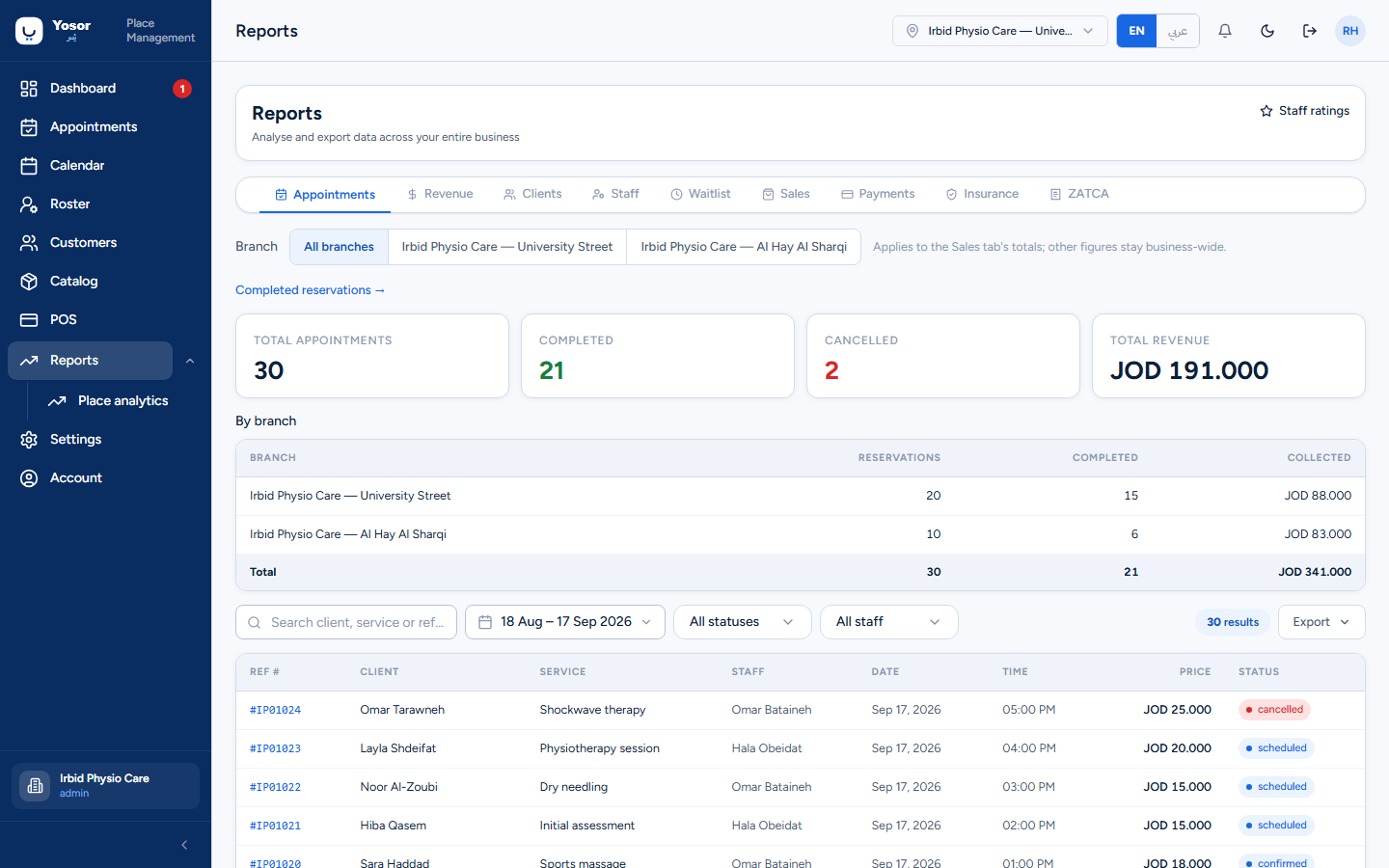
Totals, completed and cancelled counts and revenue for the period; filters by status and physiotherapist; a table of every booking with reference, customer, service, staff, date, time, price and status. With several branches a By branch table sums to the totals. Export produces the server's CSV over the same filters. The Completed reservations → link opens the reconciliation page below.
8.2 Completed reservations
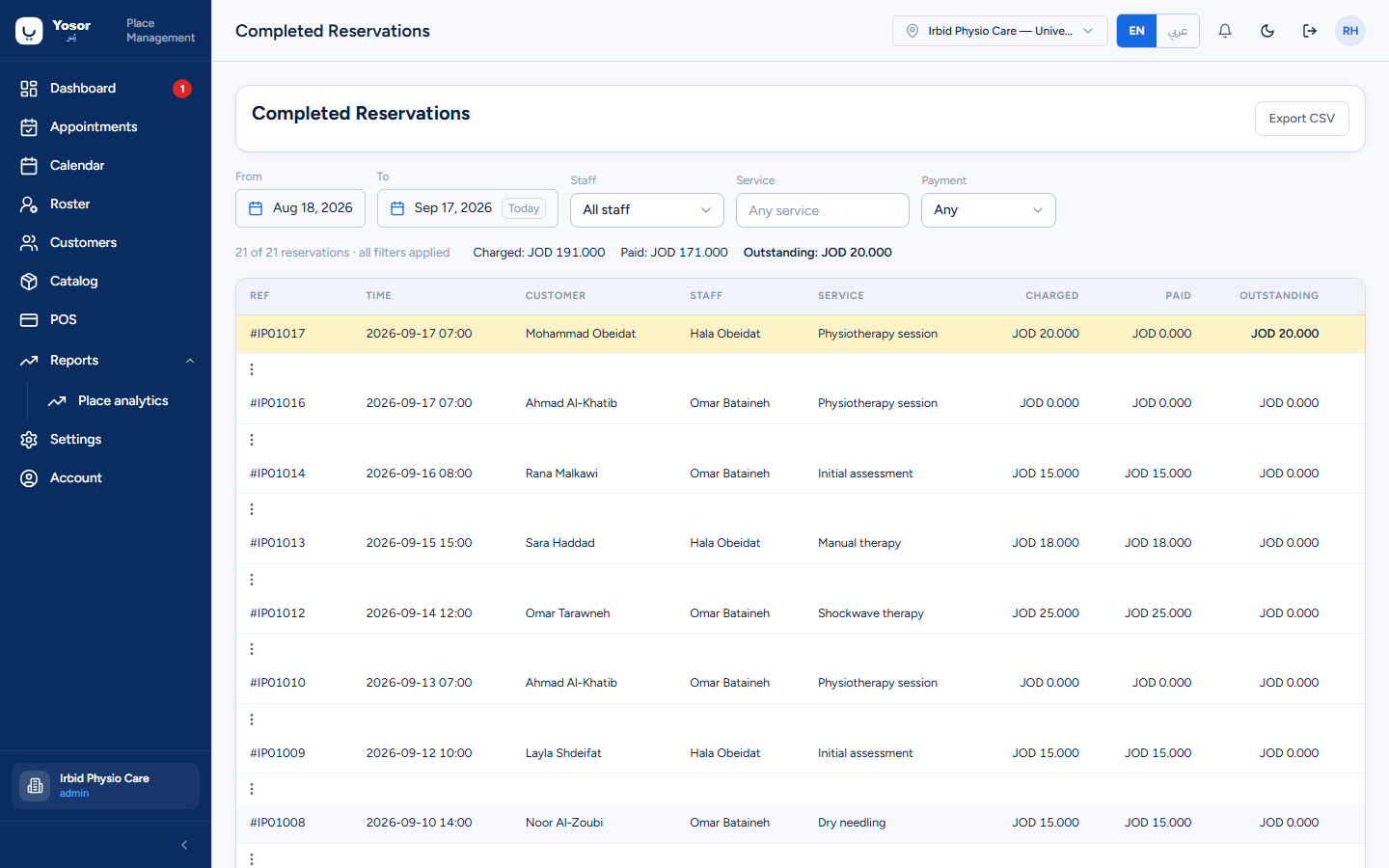
Finished visits over a date range with Charged, Paid and Outstanding per row (money columns need the Reports permission). Filters: from/to, staff, service, payment state (Any / Settled / Outstanding / Uninvoiced). Rows owing money are tinted.
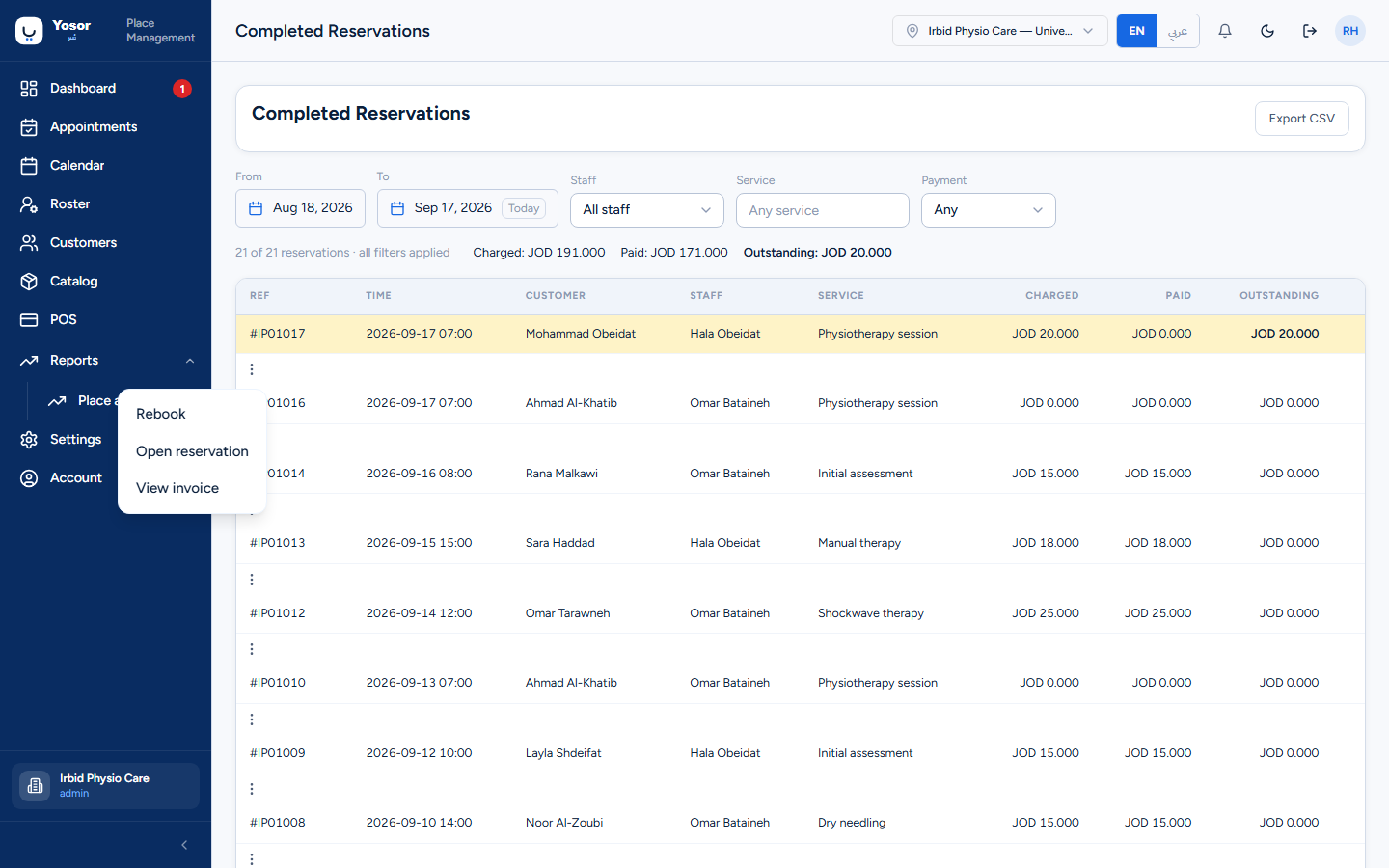
Each row's menu (also on right-click) offers Rebook, Open reservation and View invoice. Rebook opens the booking sheet pre-filled with the same customer, physiotherapist and service and proposes the next available time; if the service was removed, the physiotherapist left or the customer is archived, the sheet says so instead of silently substituting. Export CSV exports the filtered set.
8.3 Revenue
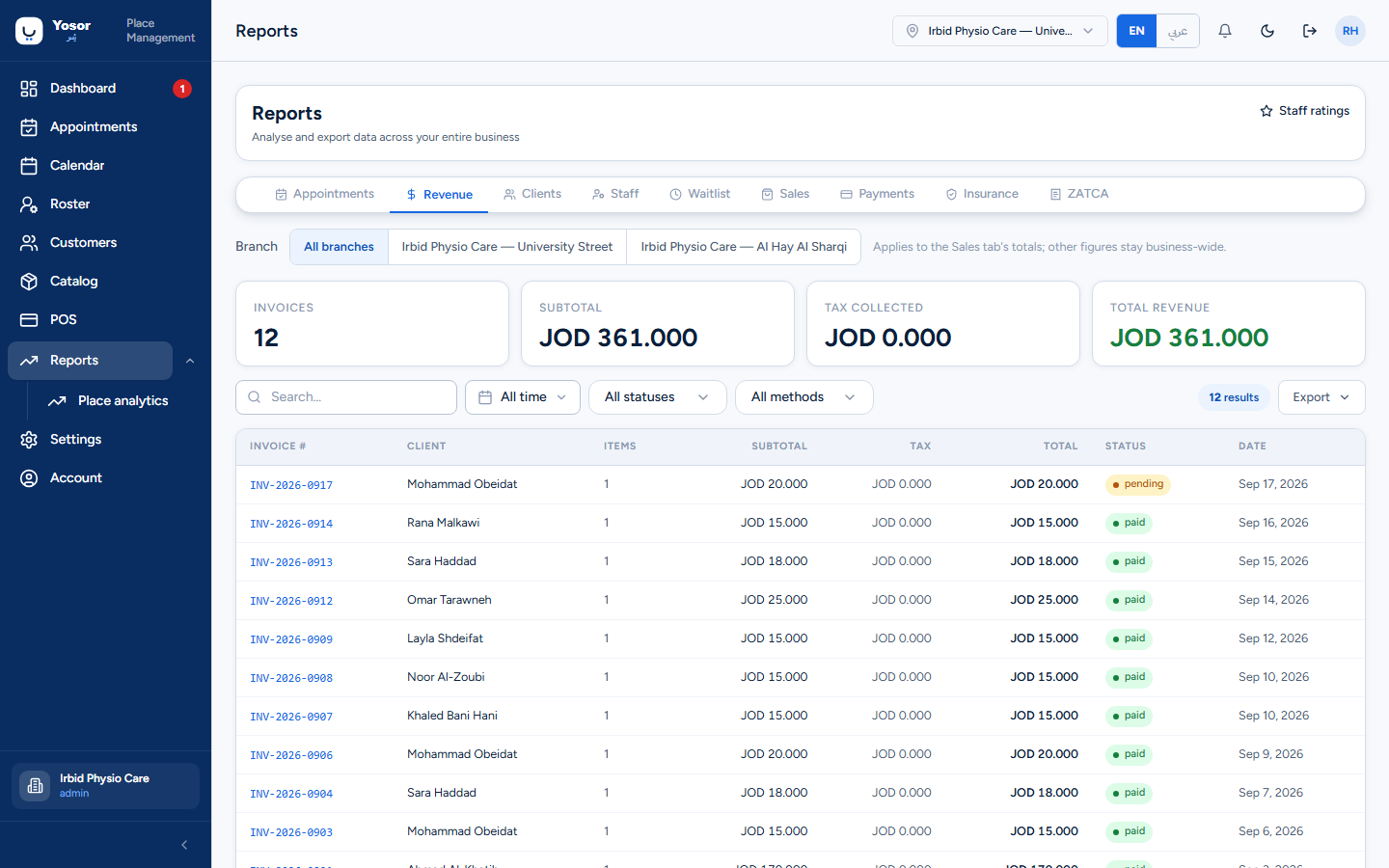
Invoices, subtotal, tax and total revenue for the period, with a table of invoices. The method filter is applied by the server over collected payments; status and search filter the table only, and the four cards ignore them.
8.4 Clients
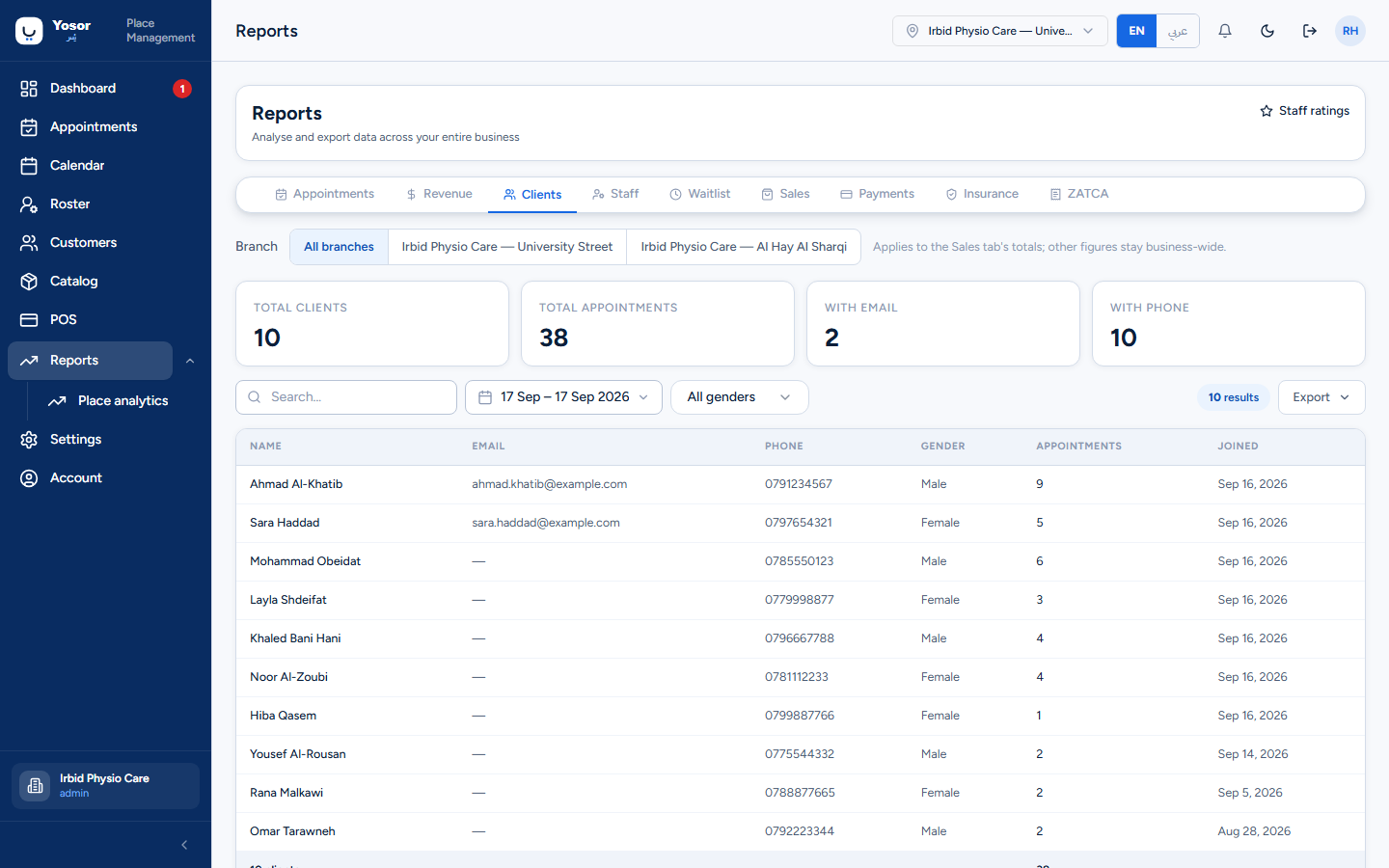
Customers added in the period (default: the last year), with their appointment counts, email and phone coverage and a gender filter. At most 500 rows are shown; a notice says when the period holds more.
8.5 Staff
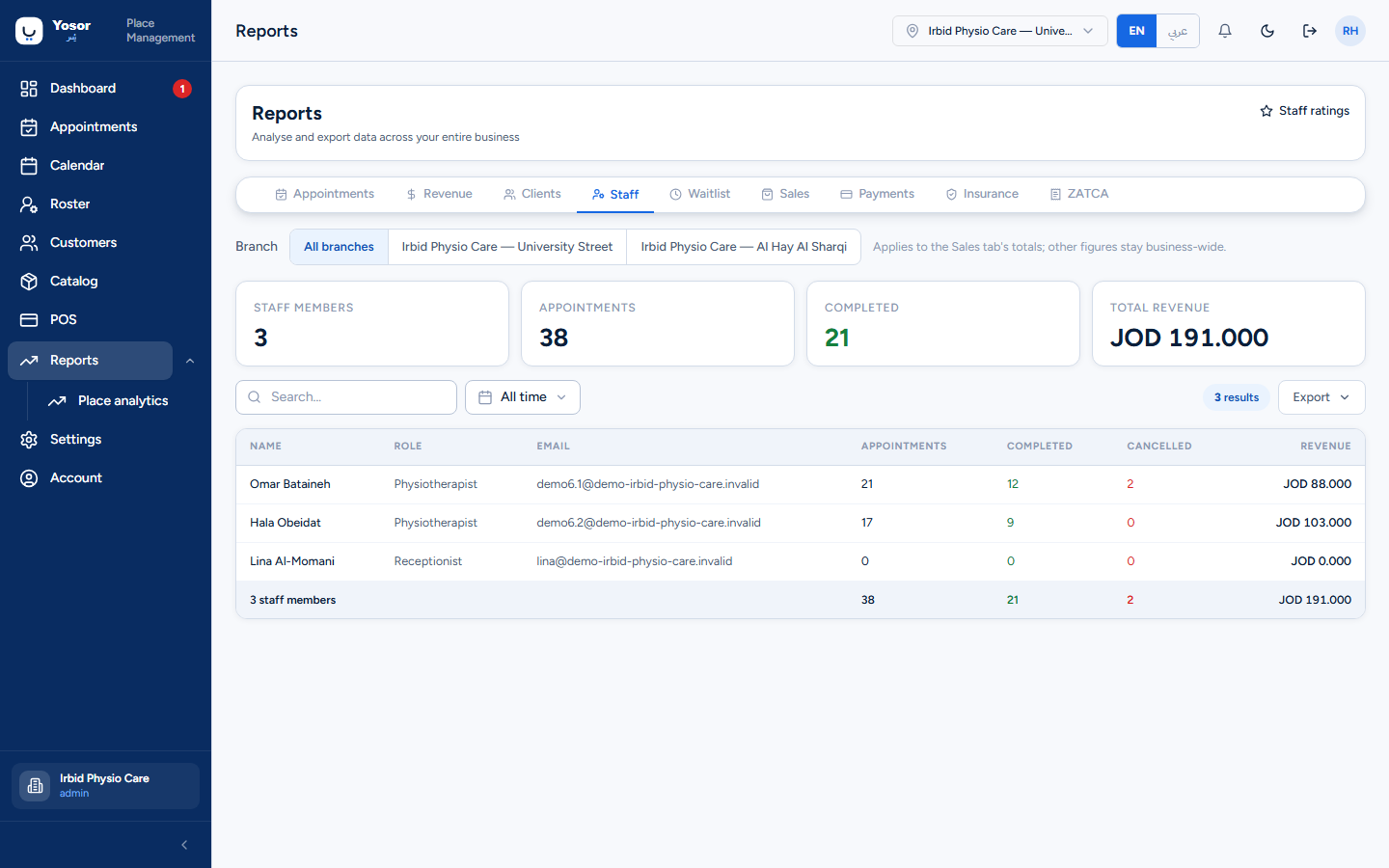
Per physiotherapist: appointments, completed, cancelled and revenue over the period, with a totals row.
8.6 Waitlist
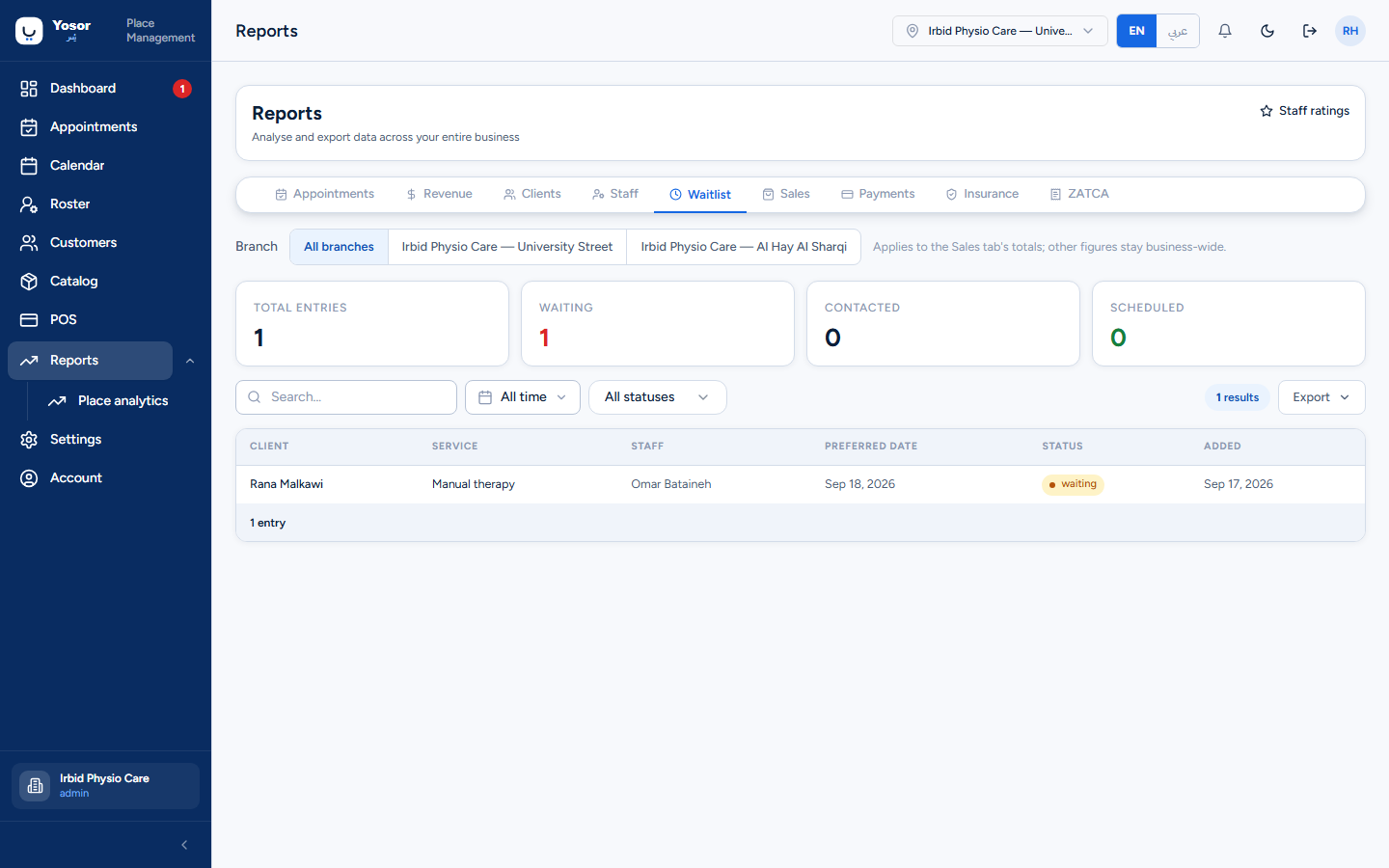
Every waiting-list entry with its status (waiting, contacted, scheduled, cancelled). The empty state reminds you that Yosor adds nobody to the list automatically.
8.7 Sales
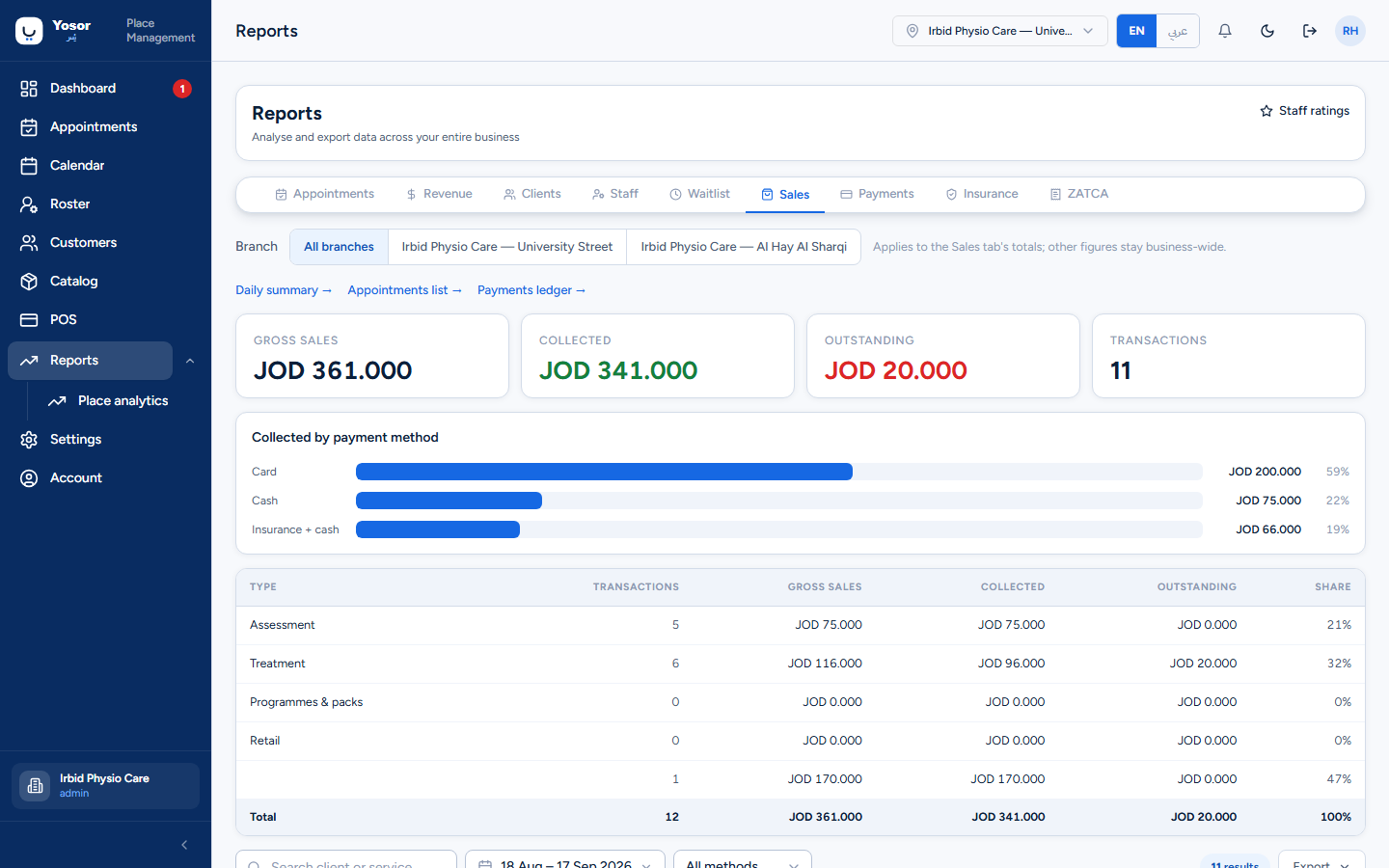
Needs the Sales or Billing permission. Gross sales, collected, outstanding and transaction counts; a bar of collected money by payment method; a transaction-type table (Assessment, Treatment, Programmes & packs, Retail) based on each service's Type in the Catalog; and a transaction table with a method filter. Links at the top go to the Daily summary, the Appointments list and the Payments ledger. This is the tab the branch filter narrows.
8.8 Payments
The payments ledger, embedded (Payments).
8.9 Insurance
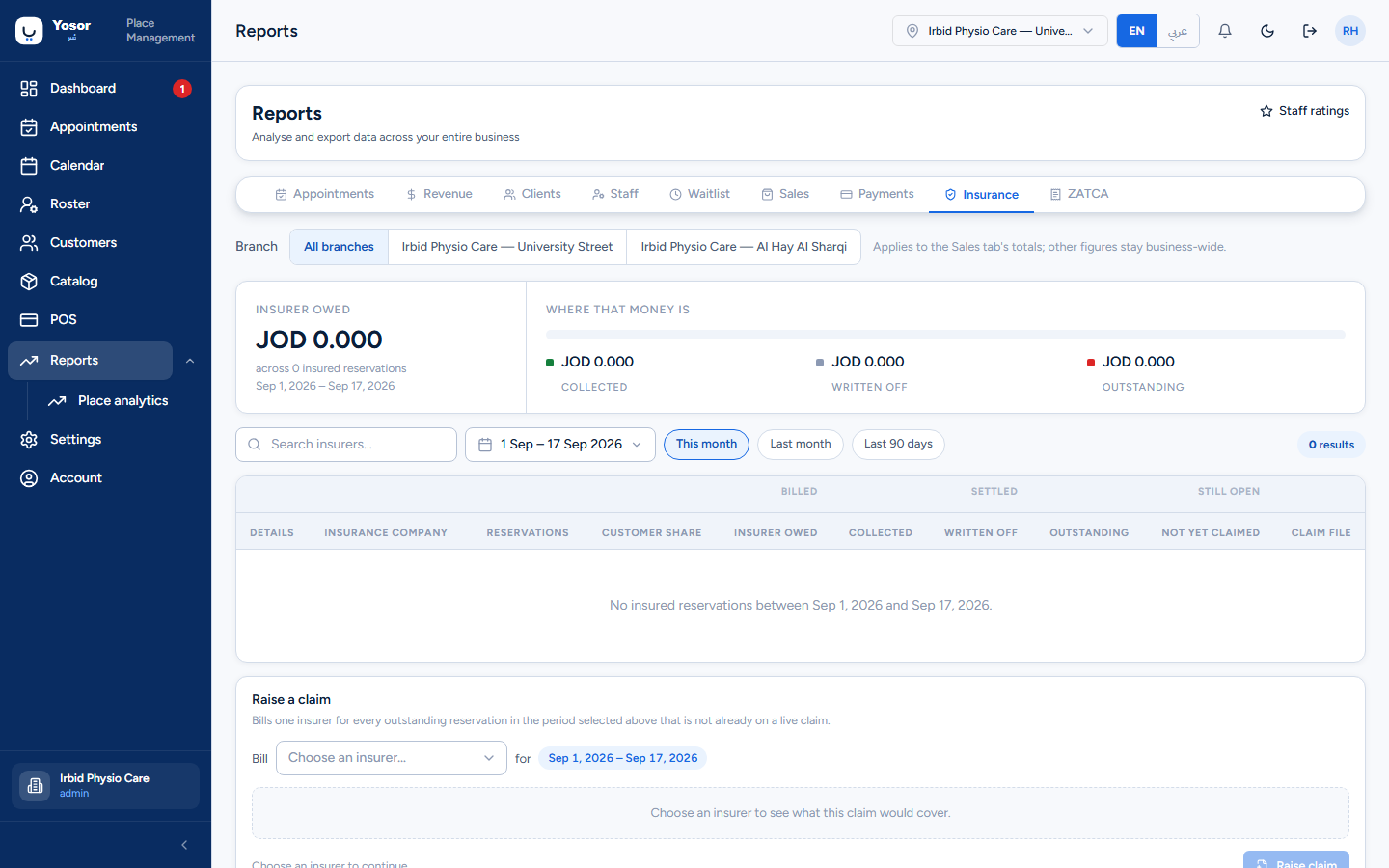
Per insurance company and period: reservations, the customer share, what the insurer owes, what was collected, written off, outstanding and not yet claimed. Claim file (Billing permission) downloads the file to send to that insurer for the period. Quick ranges: this month, last month, last 90 days.
8.10 ZATCA
Saudi e-invoicing compliance figures. Not used by a Jordanian clinic.
8.11 Staff ratings
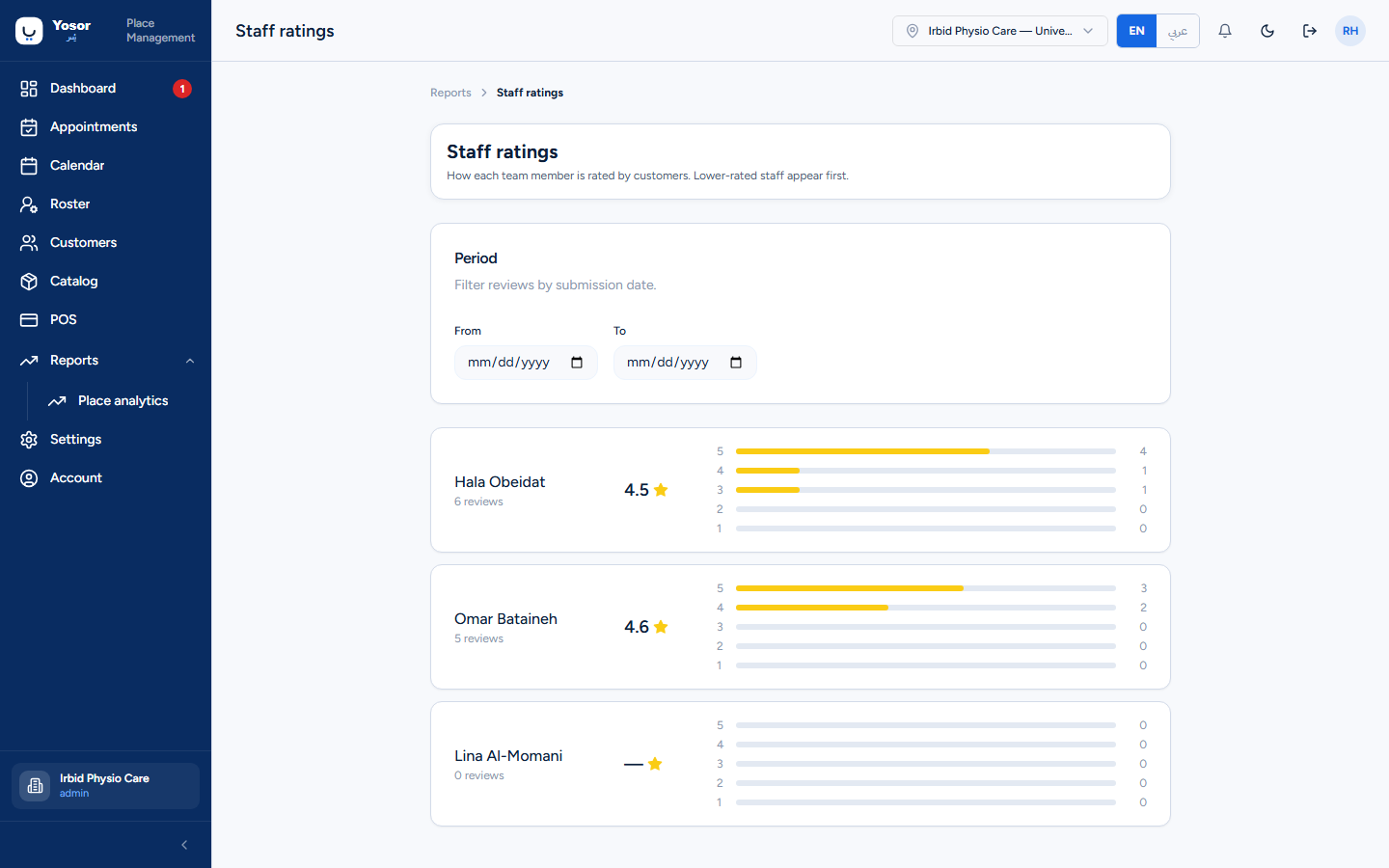
Reports › Staff ratings: for each team member, the number of reviews, the average and the star distribution, from the first-party review requests sent after completed sessions (Messaging › Reviews). Lower-rated staff are listed first, on purpose. Filter by the review submission date.
8.12 Place analytics
Reports › Place analytics shows website and app funnel figures from Google Analytics when the clinic's analytics property is configured. If it is not, the page is empty and every booking channel still works.