5. Customers
Every person the clinic treats has one customer record. It holds contact details, insurance policies, allergies and contraindications, attributes (tags), preferences, the treatment plan, session packs, invoices, captured forms and the full visit history.
5.1 The customer list
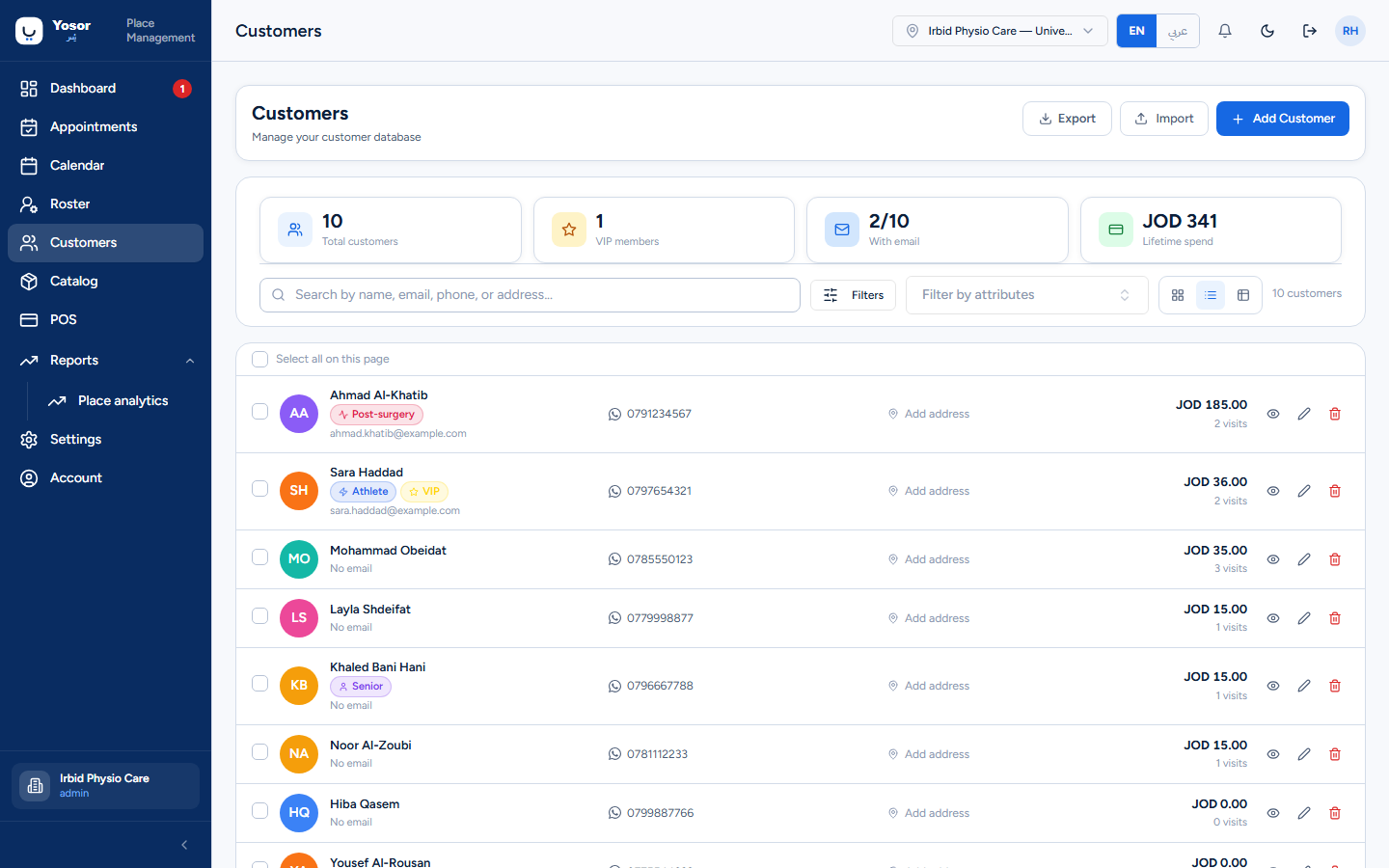
- Stat chips — total customers, VIP members (customers carrying the VIP attribute), how many
have an email, lifetime spend.
- Search by name, email, phone or address (searches the whole database).
- Filters — added between two dates, number of visits, lifetime spend. Apply runs them;
Clear resets.
- Filter by attributes — narrows the page shown to customers carrying chosen tags.
- Card / List / Table views; the choice is remembered on this device.
- Export downloads a CSV of the customers matching the search box.
- Import (Customer Records permission) opens the import wizard.
- Add Customer opens the customer sheet.
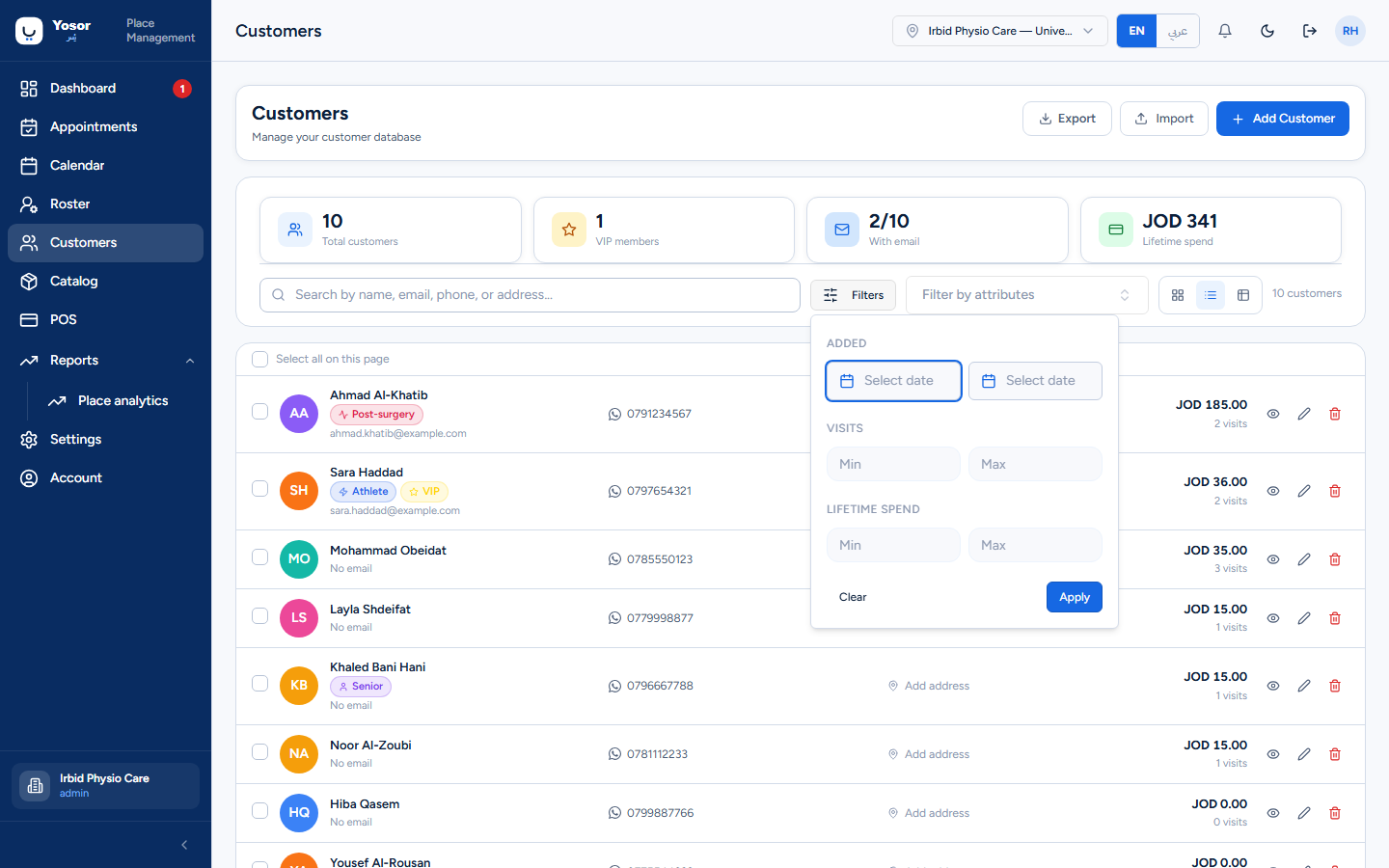
Each row has View history (opens the customer record), Edit and Delete. Ticking rows in list or table view shows the bulk toolbar: Merge (exactly two selected: the first is merged into the second, moving appointments, invoices, plans, waitlist entries, attributes, allergies and insurance), Add attribute and Delete.
A customer who owes money cannot be deleted: the dialog stays open, names the outstanding amount and the invoices, and asks you to settle or write off first.
Import wizard
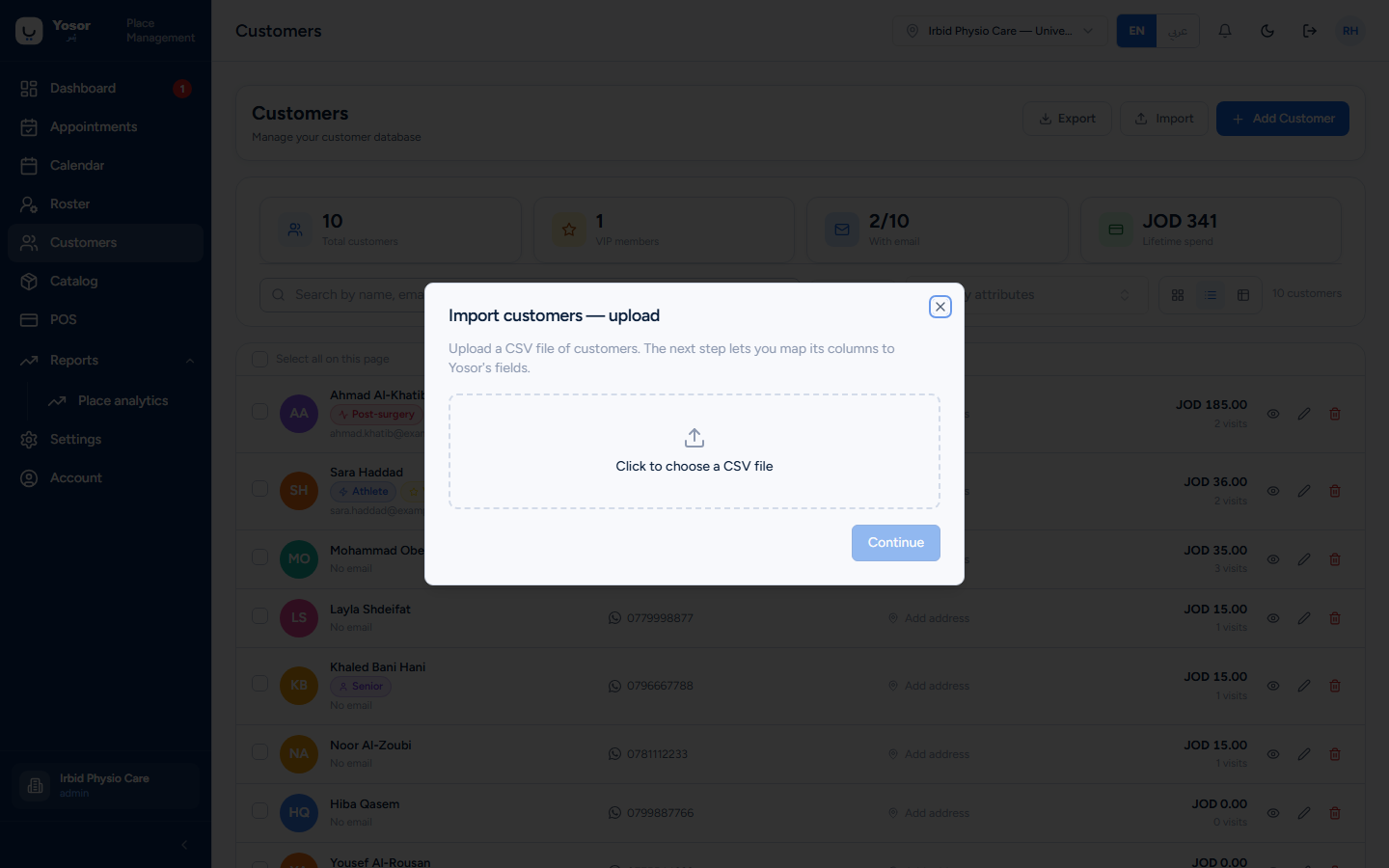
- Upload a CSV (UTF-8, UTF-16 or Windows-1256 are detected).
- Map columns to the seven importable fields: name, email, phone, address, date of birth,
gender, notes. Name is required.
- Preview the counts of ready, duplicate and invalid rows. Nothing is written yet.
- Import, then read the inserted / skipped / errored counts and the reasons.
5.2 The customer sheet (add and edit)
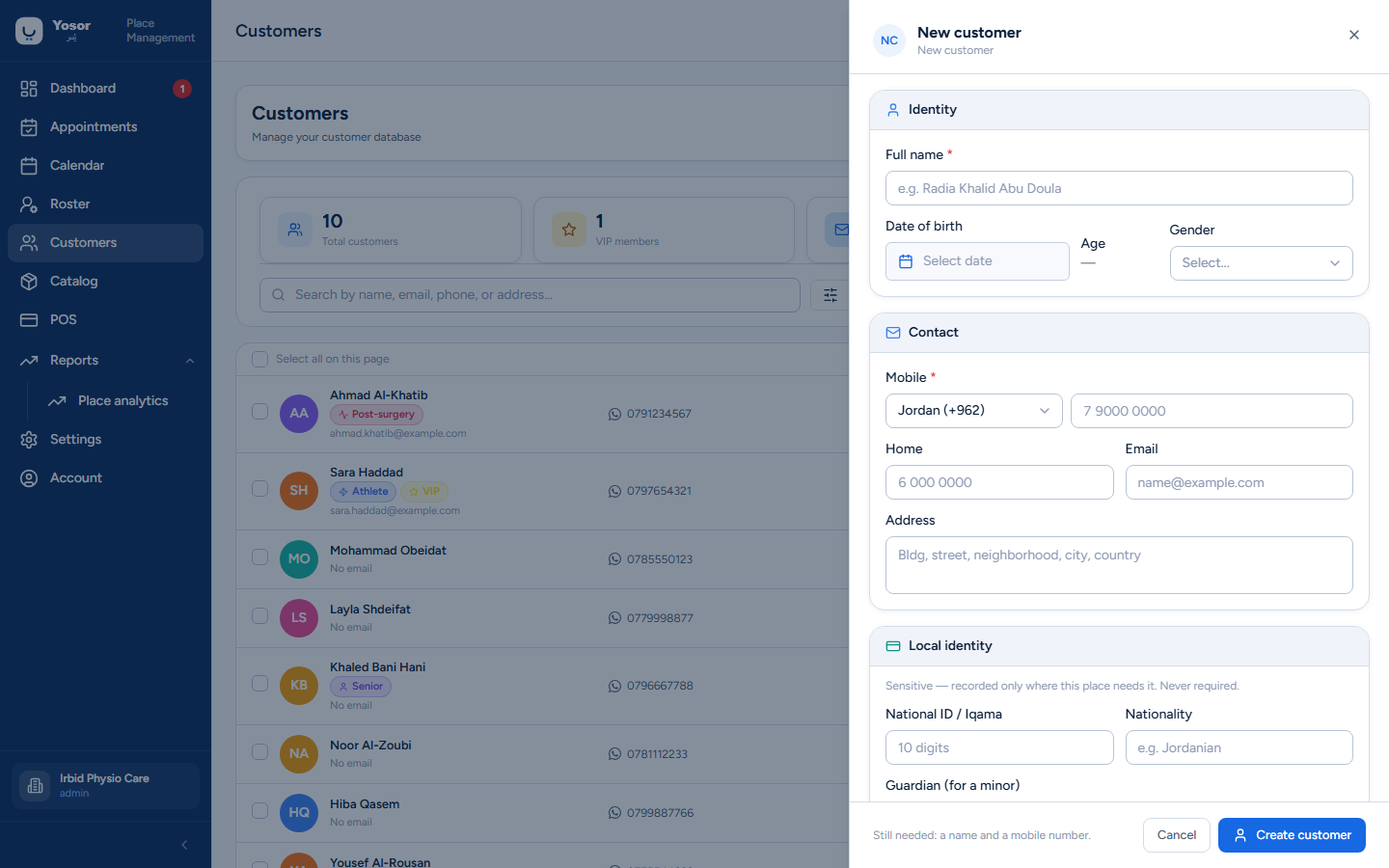
The same sheet opens from Add Customer, a row's Edit, the record's Edit button and the booking sheet's New customer. Sections, top to bottom:
| Section | Fields and rules |
|---|---|
| Identity | Full name (required, 2+ characters), date of birth (the age is shown), gender |
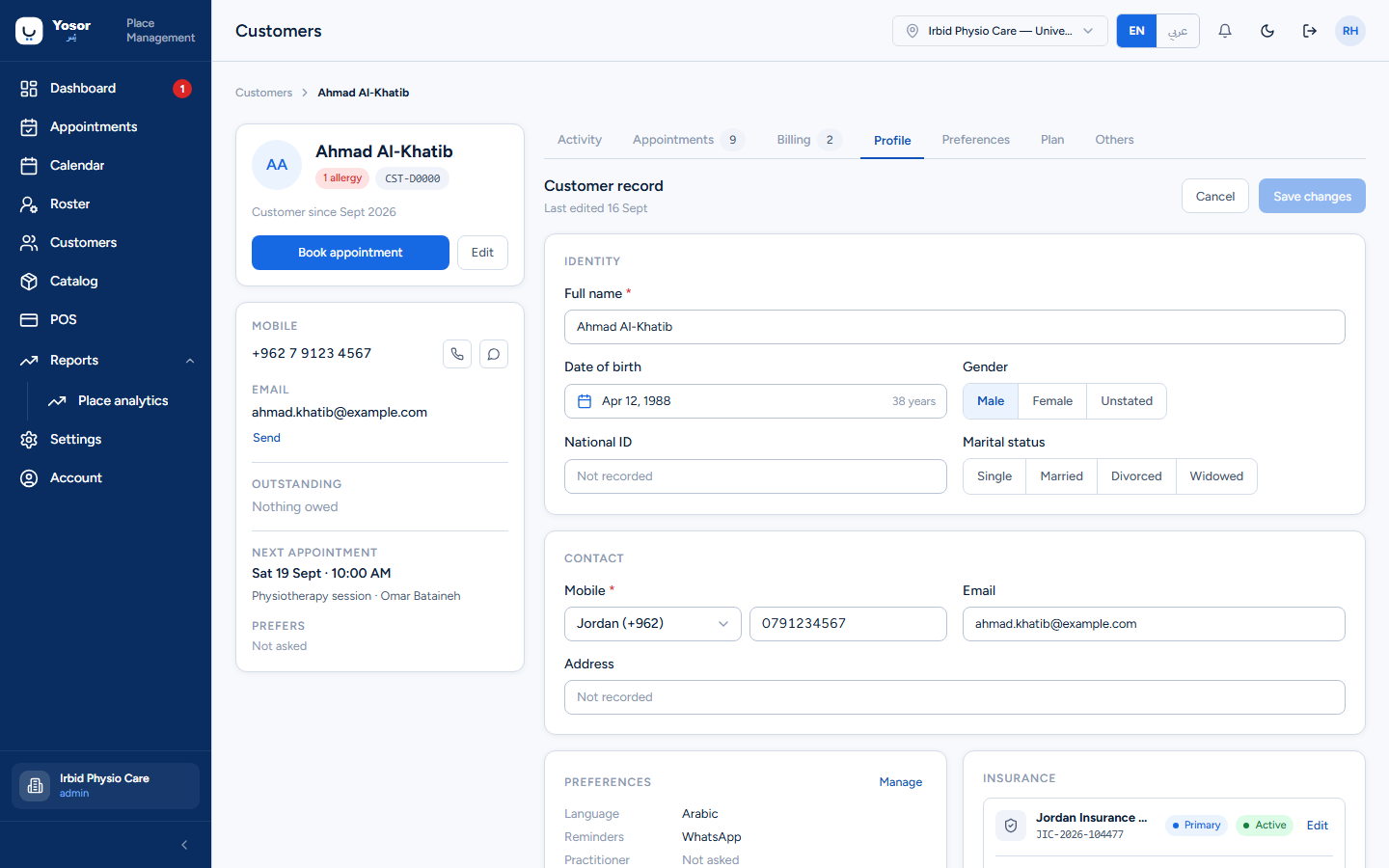
| Contact | Mobile (required): choose the country, then type the national number with its leading zero, for example 0791234567. The rule is ten digits; a nine-digit number without the zero is refused as "Invalid phone number". Home phone, email (optional), address. |
| Local identity | National ID / Iqama (only when the Insurance module is on; 10 digits starting with 1 or 2), nationality, and a guardian for a minor (name, phone, relationship) |
| Insurance | one card per policy: the insurance company (from Settings › Insurance companies), policy number, the customer's share in percent (the insurer's share is worked out as the rest), expiry date, and which policy is primary. Add policy / Add secondary policy. Removing a policy from the list deletes it on save. |
| Customer attributes | toggle the clinic's tags (defined under Settings › Customer attributes). Hidden if the clinic has none. |
| Allergies | Add allergy: type (drug, non-drug, or No known allergies to record that the question was asked), name, reaction, severity (mild, moderate, severe, fatal), note. Shown as alerts on the booking sheet and the appointment page. |
| Notes | internal, never shown to the customer |
| Additional preferences | marital status, preferred payment, referring doctor, preferred language (English / Arabic — decides the language of WhatsApp messages), reminder channel (WhatsApp / app / both) |
The footer states what is still needed ("Still needed: a name and a mobile number") and has Create customer / Update customer.
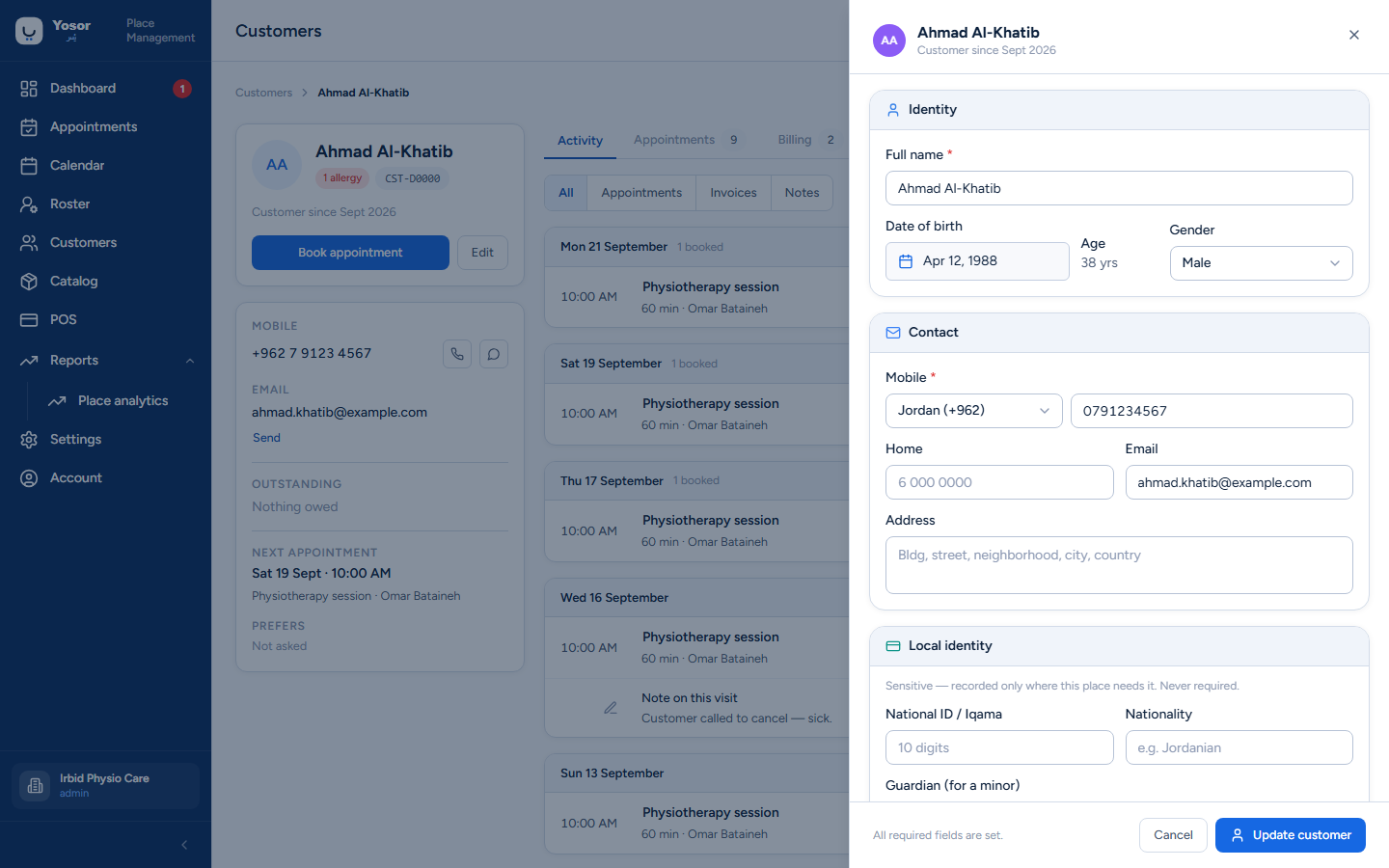
If the core record saves but a section (insurance, allergies, attributes) is refused, the sheet stays open with a warning naming that section, and nothing you typed is lost. Do not treat that as a success.
5.3 The customer record
Open a customer from the list, a booking, or a report.
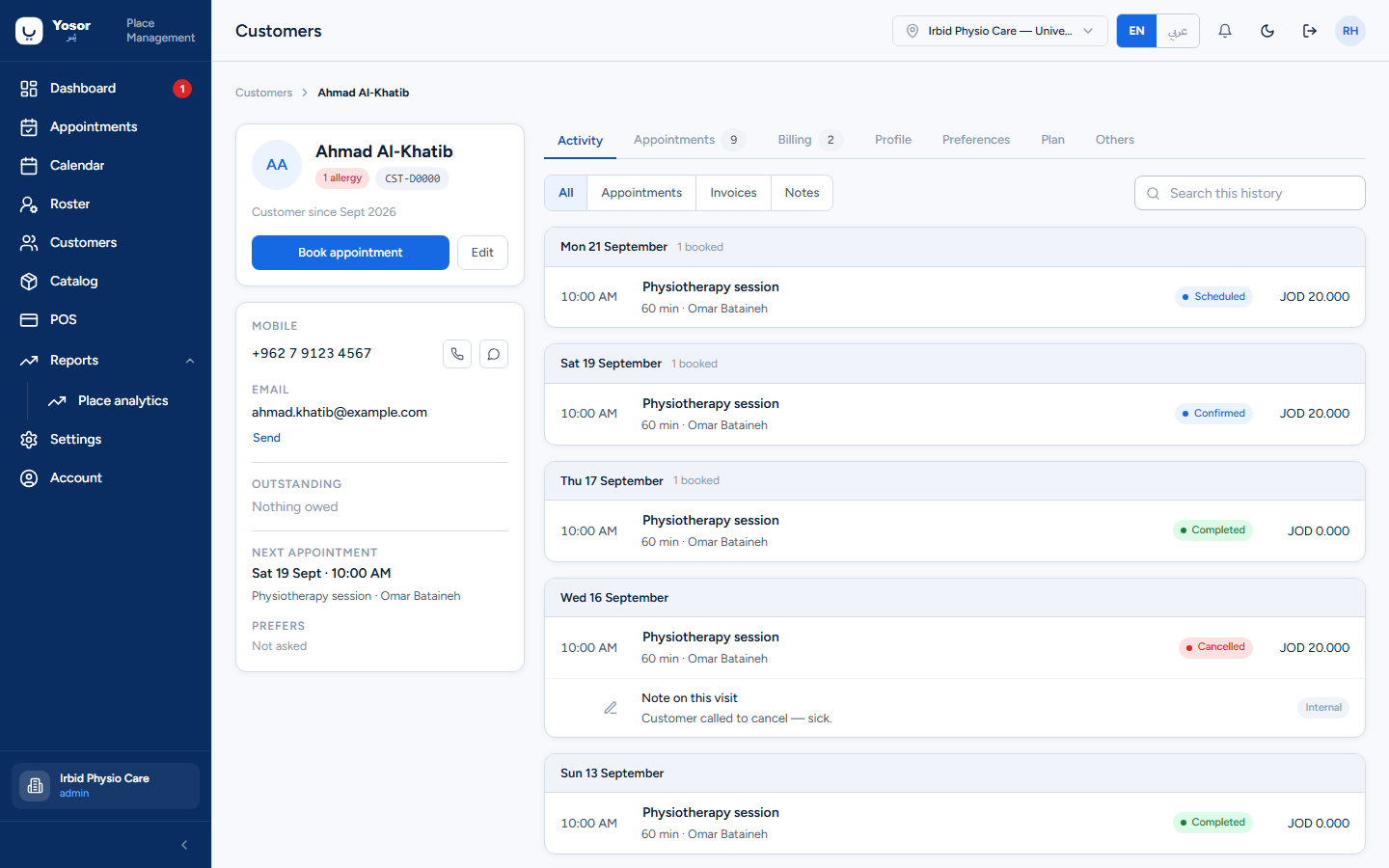
The left rail
- Name, allergy count, the customer code, Customer since.
- Book appointment — opens the calendar in book-for-this-customer mode.
- Edit — the customer sheet.
- Mobile with Call and WhatsApp buttons (WhatsApp only when the number is complete with a
country). Email with a send button.
- Outstanding — the balance owed across all invoices, Nothing owed, or a warning with the
number of unpaid invoices and the oldest. Take payment (Billing permission) settles it.
- Next appointment and the customer's preferred practitioner (Not asked, No preference
or a name).
Tabs
| Tab | Shows |
|---|---|
| Activity | every appointment, invoice and note by day, newest first, with a filter (All / Appointments / Invoices / Notes) and a search box. A no-show day gets Rebook; an unpaid invoice gets Settle (Billing). |
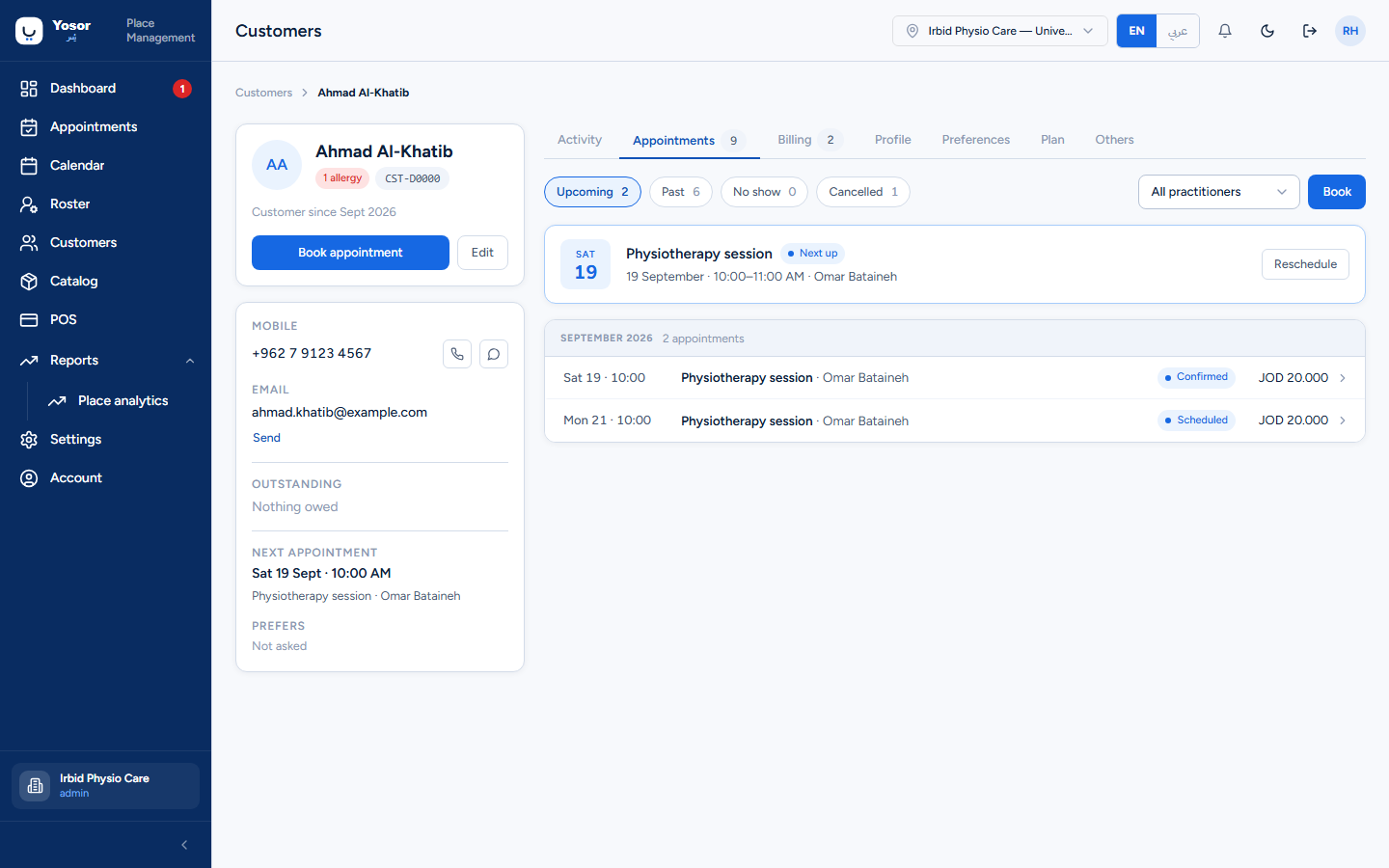
| Appointments | Upcoming / Past / No show / Cancelled, a filter by physiotherapist, a Next up card with Reschedule and Check in, and Book. |
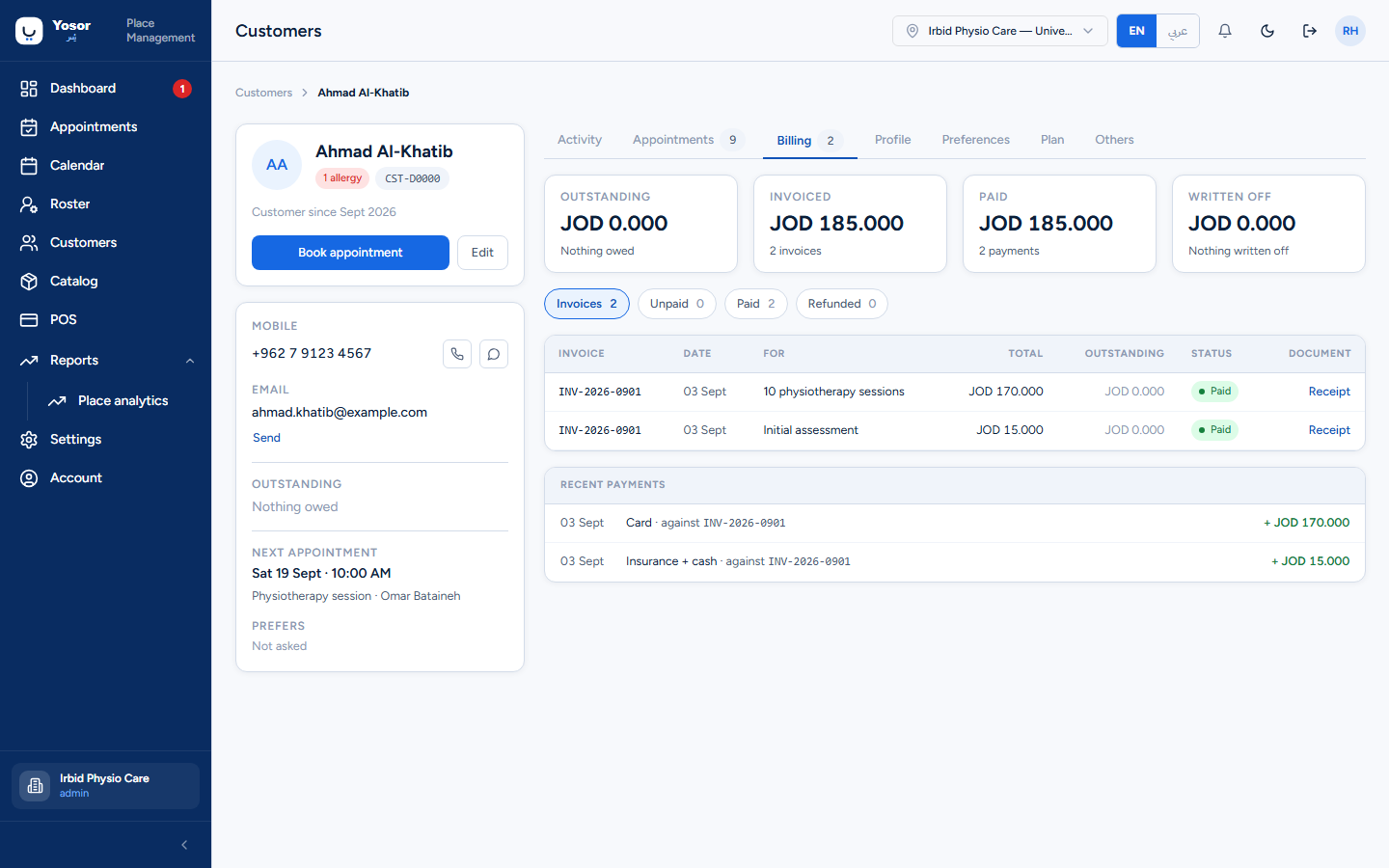
| Billing | Outstanding, Invoiced, Paid (and Written off) tiles; the invoice table with Settle or Receipt / Invoice per row; recent payments. Needs the Sales or Billing permission. |
| Profile | the editable customer record in place: identity, contact, preferences summary, insurance, allergies, internal notes. Save changes sends only the fields you changed. This tab cannot clear a stored value (use the Edit sheet). |
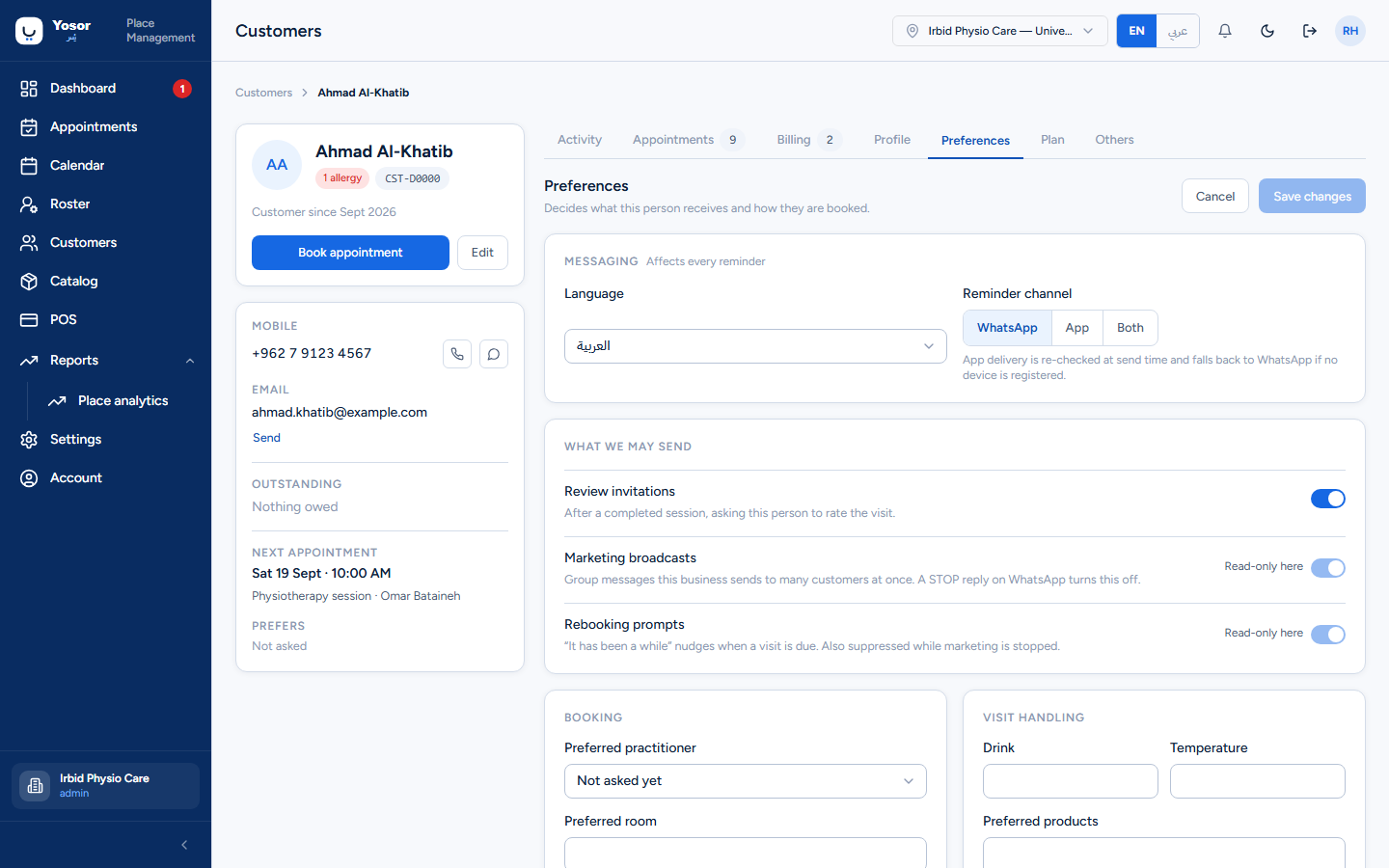
| Preferences | language and reminder channel; review invitations on/off; the read-only state of marketing broadcasts and rebooking prompts; the preferred practitioner and visit-handling notes (Customer Records permission). |
| Plan | the treatment plan and session packs — below. |
| Others | Measurements, Formulas and Forms. |
5.4 Treatment plan (Plan tab)
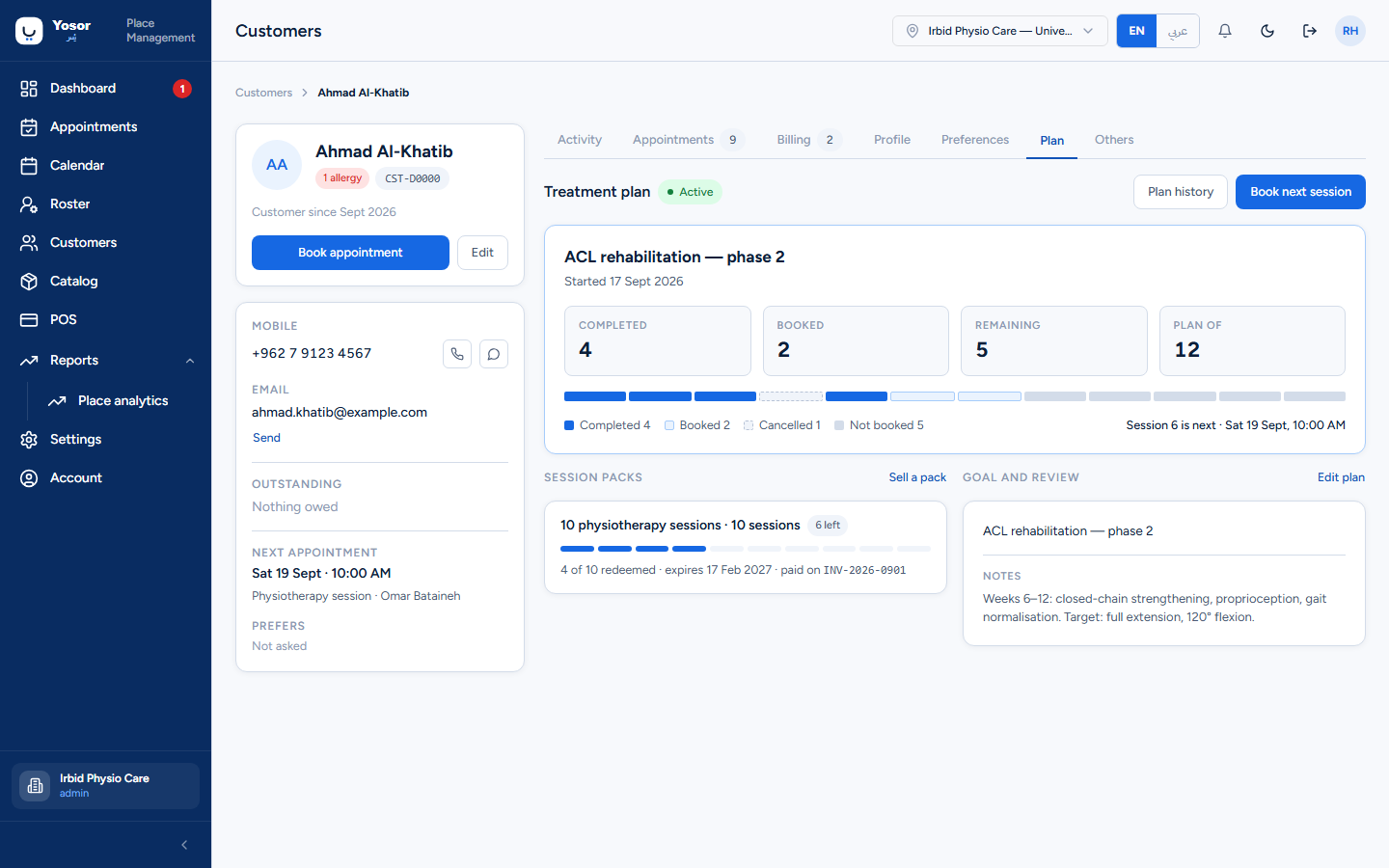
A treatment plan is the course of sessions a customer is on: a programme title, the goal and notes, and the number of sessions planned. The card shows Completed, Booked, Remaining and Plan of tiles, a pip per session, a legend (Completed / Booked / Missed / Cancelled / Not booked) and Session n is next.
- Remaining is planned sessions minus every session already counted against the plan. **Missed
and cancelled sessions still count**; the screen deliberately does not claim otherwise.
- Book next session opens the calendar for this customer.
- New plan appears when the customer has no plan. In a therapist-only clinic any staff member
can create one, but saving, pausing, cancelling and editing a plan needs the admin or doctor role; other roles see "Plans are managed by the doctor".
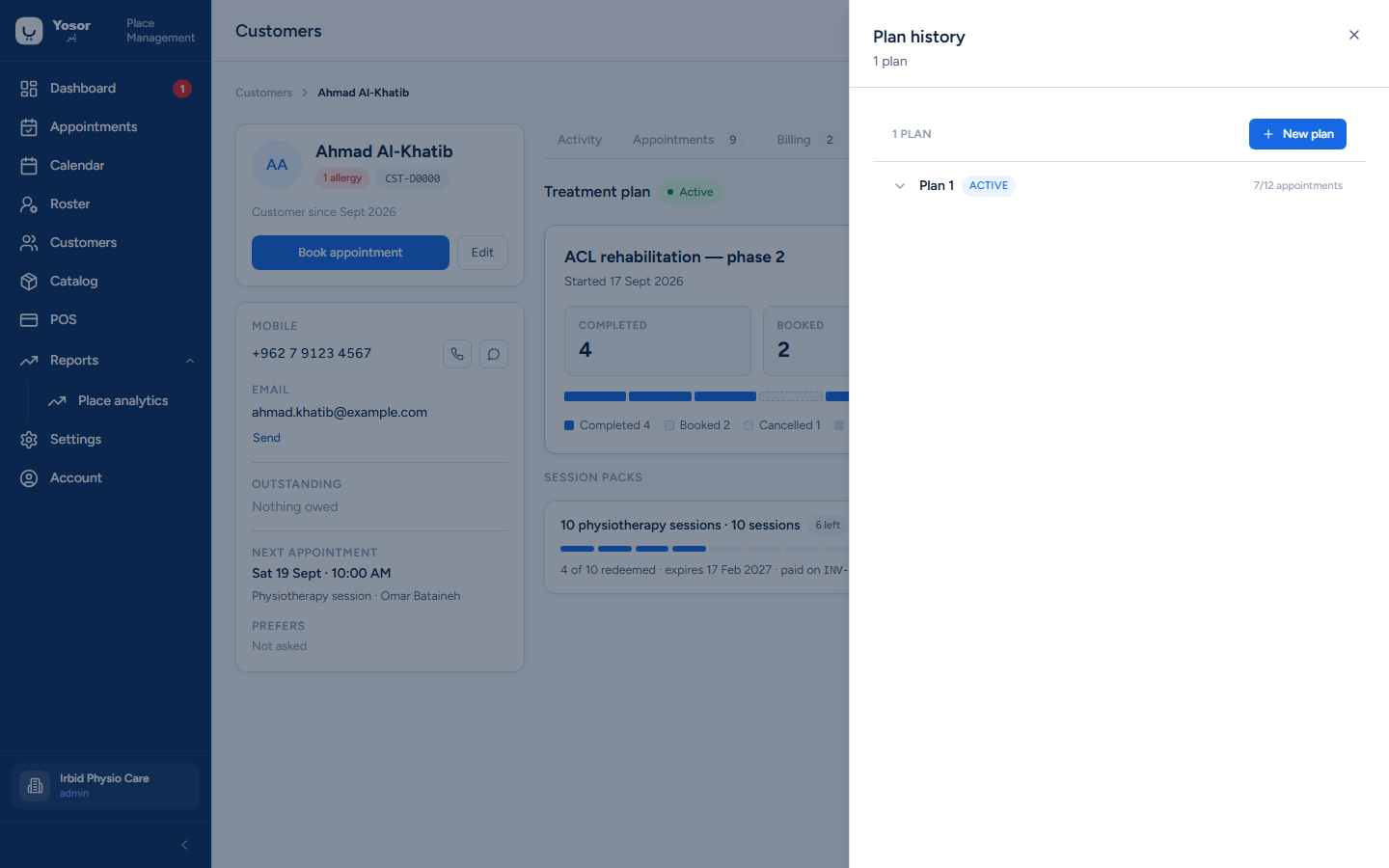
- Plan history opens the full plan manager: every plan the customer has had, each with its
status (Active, Paused, Completed, Cancelled), Total appointments in plan (blank = unlimited), the Rehabilitation programme text and notes, and per-session rows where the physiotherapist writes the session outcome and sets Session progress. Session progress can be edited only on a completed session and only within 24 hours.
Goal and review shows the programme text and notes with Edit plan.
5.5 Session packs (Plan tab, left column)
A session pack is prepaid sessions (for example "10 physiotherapy sessions"). The Plan tab lists the customer's packs with a chip (n left, Used up, Expired), a meter of redeemed versus sold, the expiry, and the invoice it was billed on. Packs are sold from the Catalog (the Sell a pack link takes you there) and are redeemed at checkout: choose the pack under Pay with a plan when booking, and the session is drawn down when the visit is checked out. Balances are always computed from actual redemptions; nothing is decremented by hand. Requires the Billing permission to view.
Do not confuse the two "remaining" figures: the plan's remaining sessions is a clinical course; the pack's remaining sessions is prepaid credit.
5.6 Forms (Others › Forms)
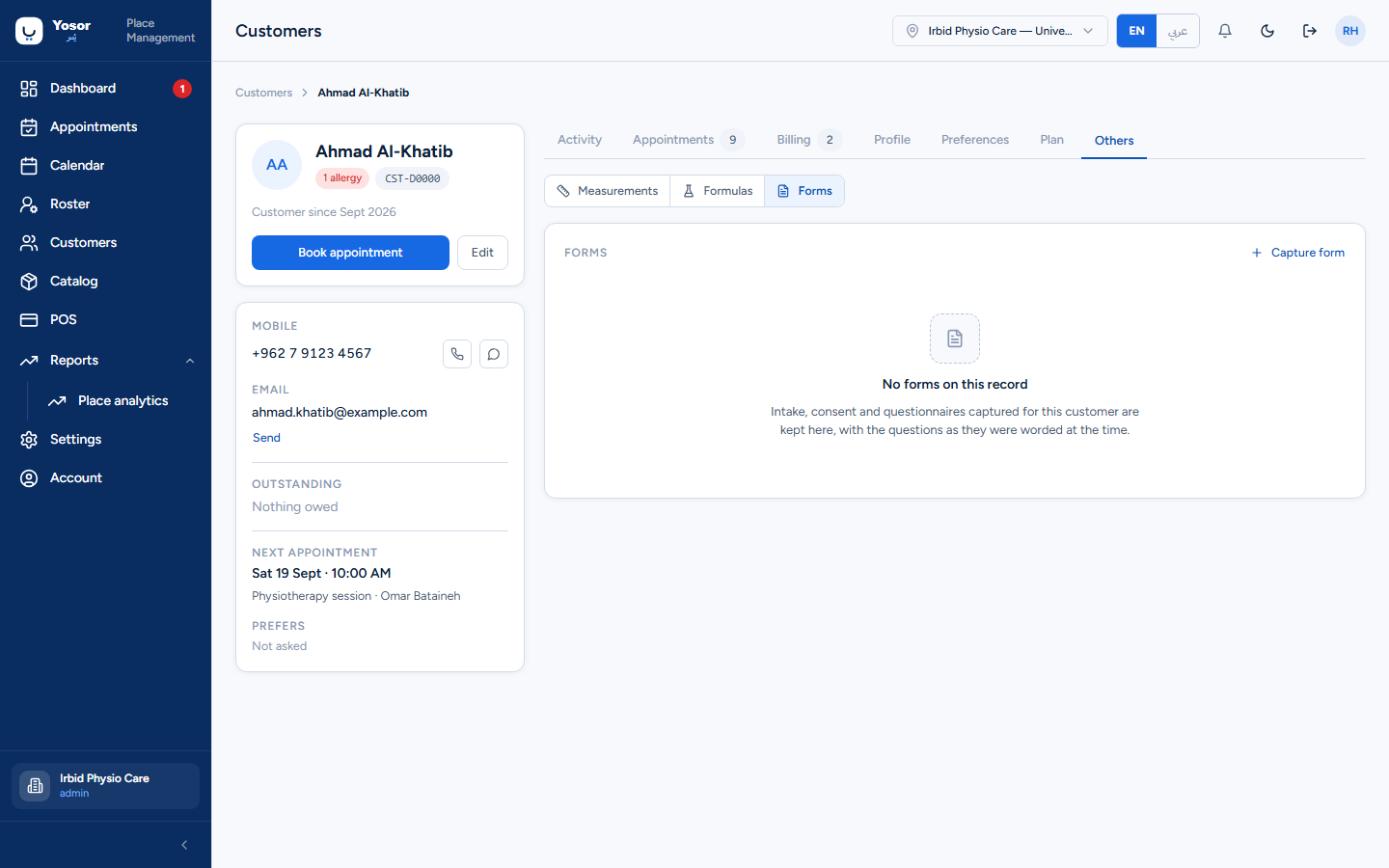
Intake, consent and questionnaire forms captured for this customer, newest first, each Completed or Draft. Opening one shows the questions as they were worded at the time; editing a template later never changes a captured response.
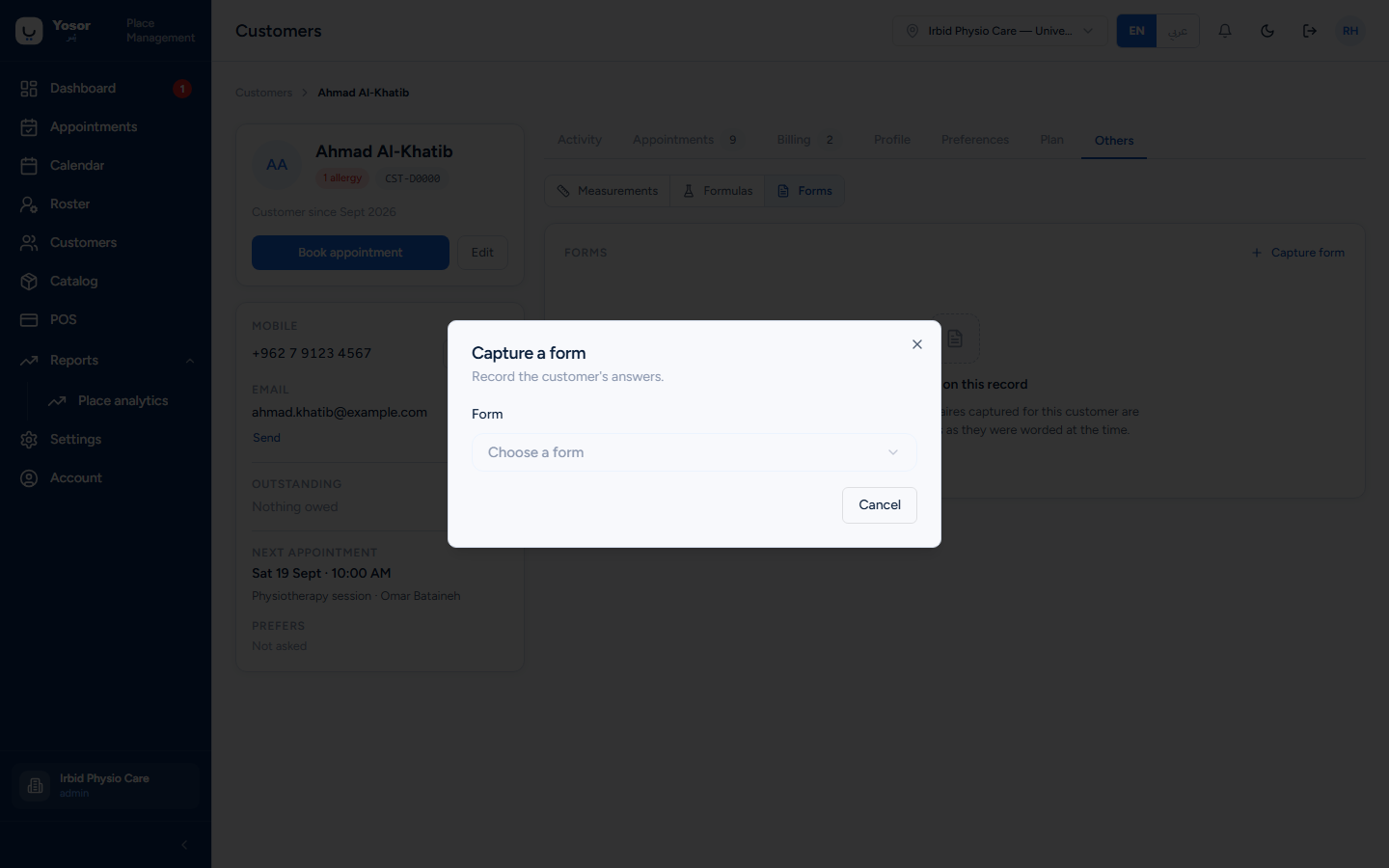
Capture form opens the capture dialog: choose an active template, answer the questions (required ones are starred), then Save draft or Complete. Required answers are checked on completion. The same dialog opens from the appointment page's Form button, which ties the response to that visit. Templates are built under Settings › Forms.
5.7 Measurements and formulas (Others)
Measurements records readings against a visit for metrics the clinic defines (range of motion, pain score, weight…), append-only: a correction is a new reading. Formulas is a salon feature and can be ignored in a physiotherapy clinic. Both need the Clinical Records — View permission.
5.8 The customer overlay
From the booking sheet, the reservation sheet, checkout and the appointment page the customer opens in an overlay with the same tabs, so you can check a record without leaving the task. Money actions (Take payment) live on the full record page only.