6. Catalog
The Catalog is the clinic's price list: the services that can be booked and the session packs (called Memberships on this screen) that can be sold. Physiotherapists are qualified for services on their staff record (Settings › Team), and a service is offered online only when at least one rostered physiotherapist is qualified for it.
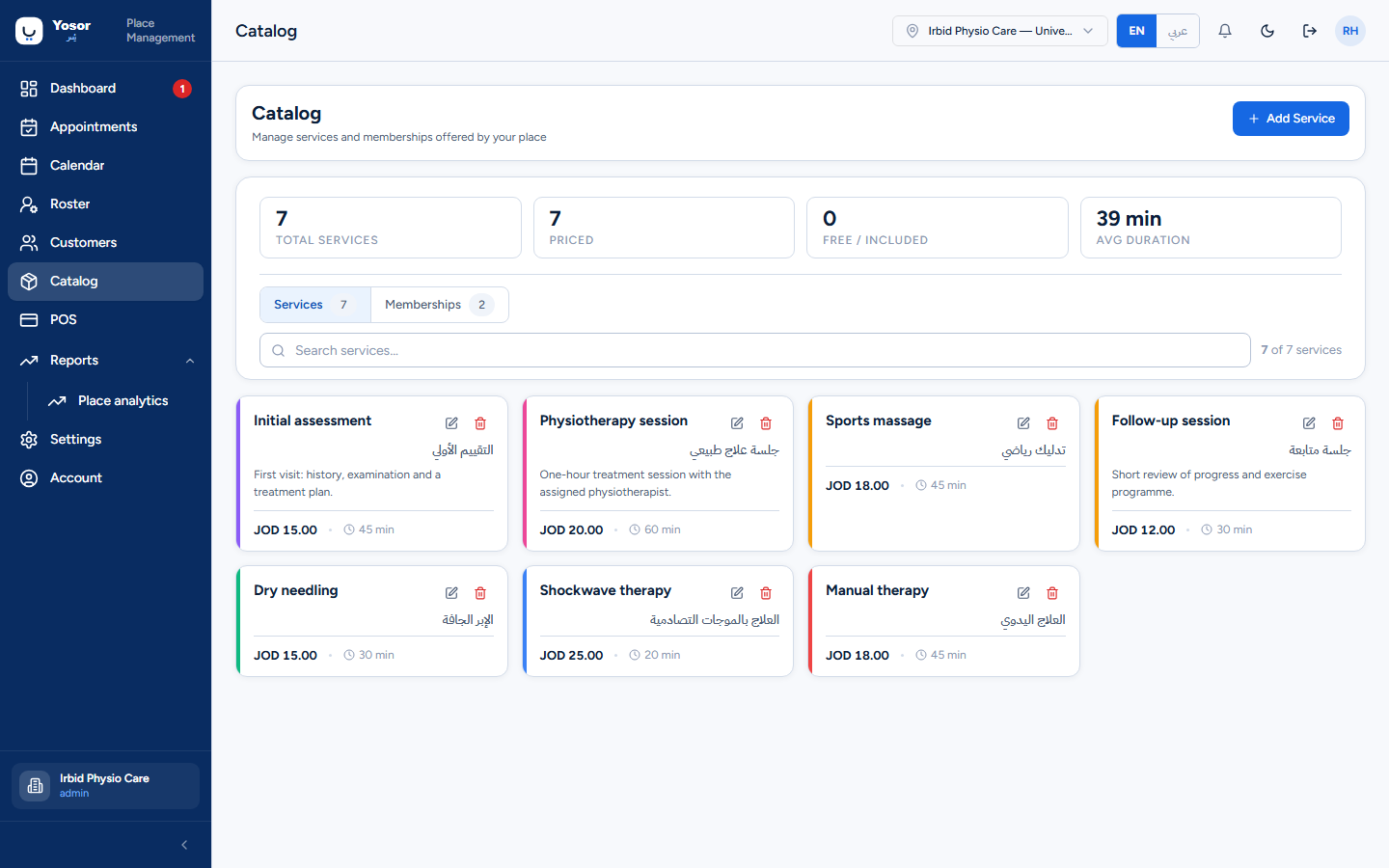
6.1 Services
The header shows how many services exist, how many are priced, how many are free and the average duration. Search matches the English and Arabic names and the description.
Add Service / Edit open the service dialog:
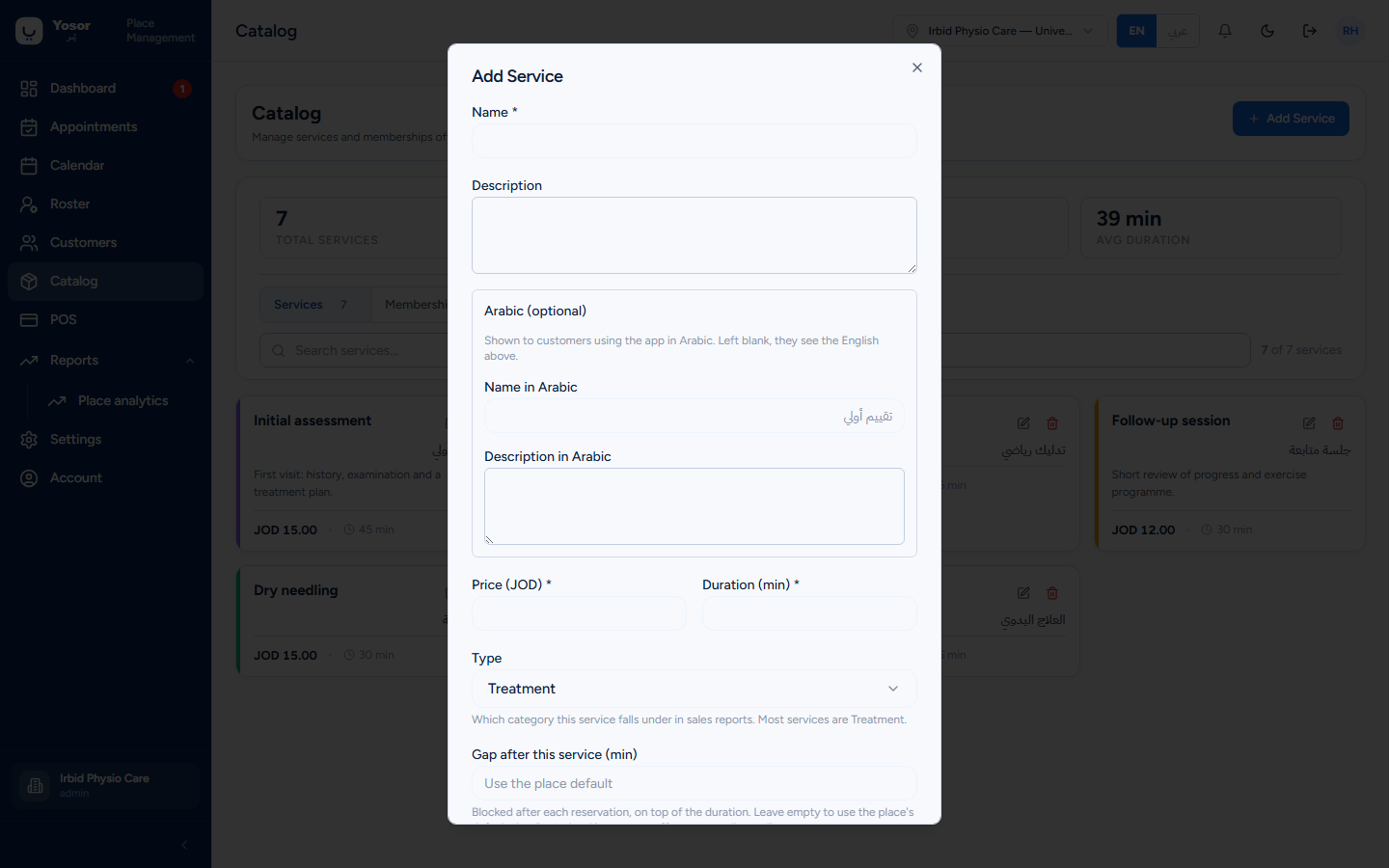
| Field | Notes |
|---|---|
| Name (required) | The English name. Never translate the name in place: physiotherapists are qualified for a service by its name, so renaming it silently unqualifies everyone. Add the Arabic name in the field below instead. |
| Description | shown to customers |
| Name in Arabic / Description in Arabic | shown to customers using Arabic; blank falls back to English |
| Price (JOD) (required) | the list price. 0 is allowed for a free or included service. |
| Duration (min) (required) | the slot length offered |
| Type | Treatment (default) or Assessment. Only affects how the Sales report groups revenue. Mark the initial assessment as Assessment. |
| Gap after this service (min) | turnaround blocked after each booking on top of the duration. Empty means use the clinic default (Settings › Scheduling › Online bookings); 0 means no gap. |
| What this service needs | requirements: a room type, a device (for example a shockwave unit) or extra staff, with a quantity, whether it is optional, and whether the customer may choose. Only active resources (Settings › Scheduling › Resources) are offered. A time is then bookable only when both a qualified physiotherapist and the resource are free. |
Delete asks for confirmation. Deleting a service does not remove it from past bookings; an existing booking keeps the old name until edited.
6.2 Session packs ("Memberships")
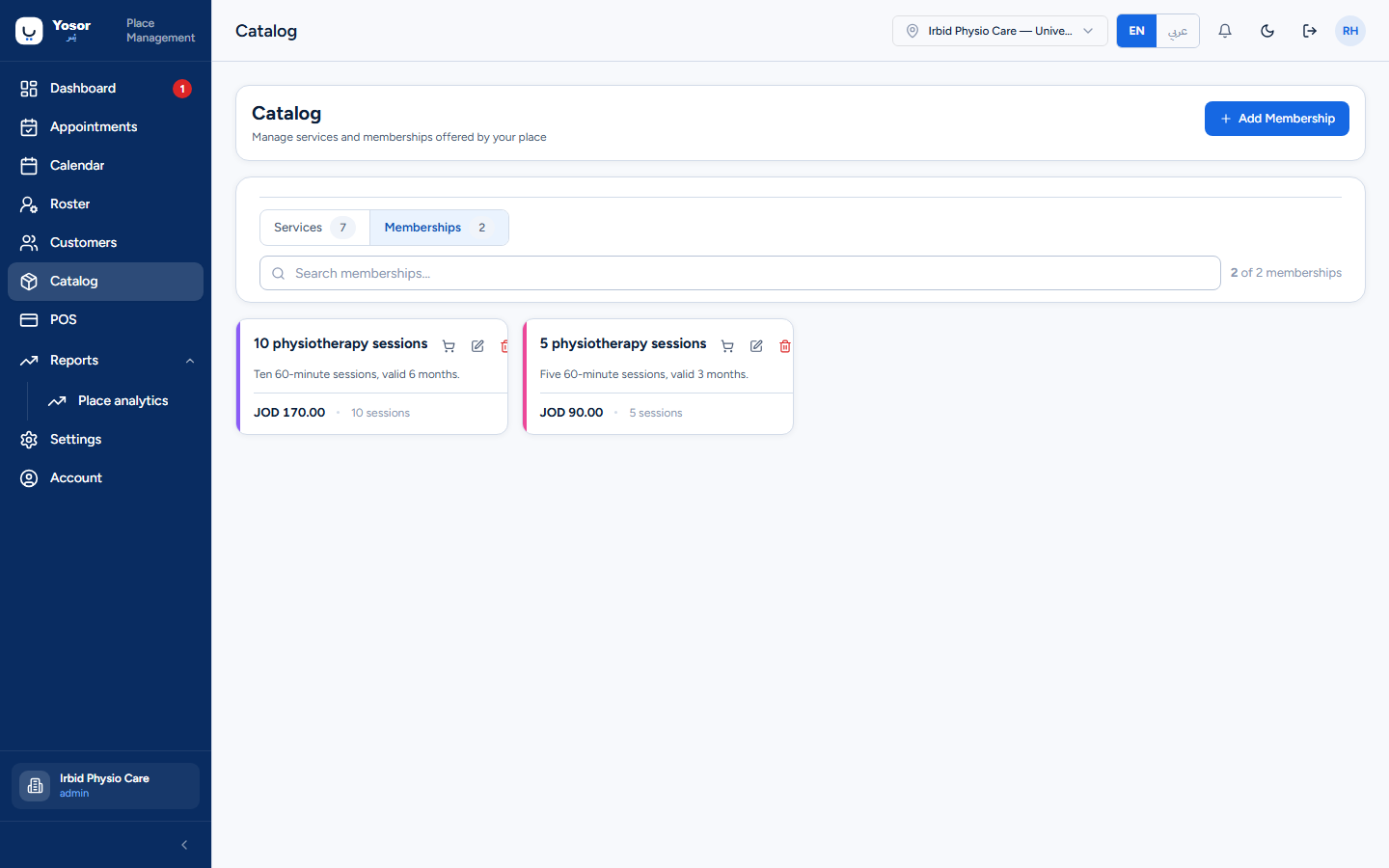
Add Membership asks for a name, an Arabic name, a description, the price and the number of sessions. Selling at a different price means creating a different pack: the price and session count are copied from the catalogue at the moment of sale and cannot be typed over.
Selling a pack
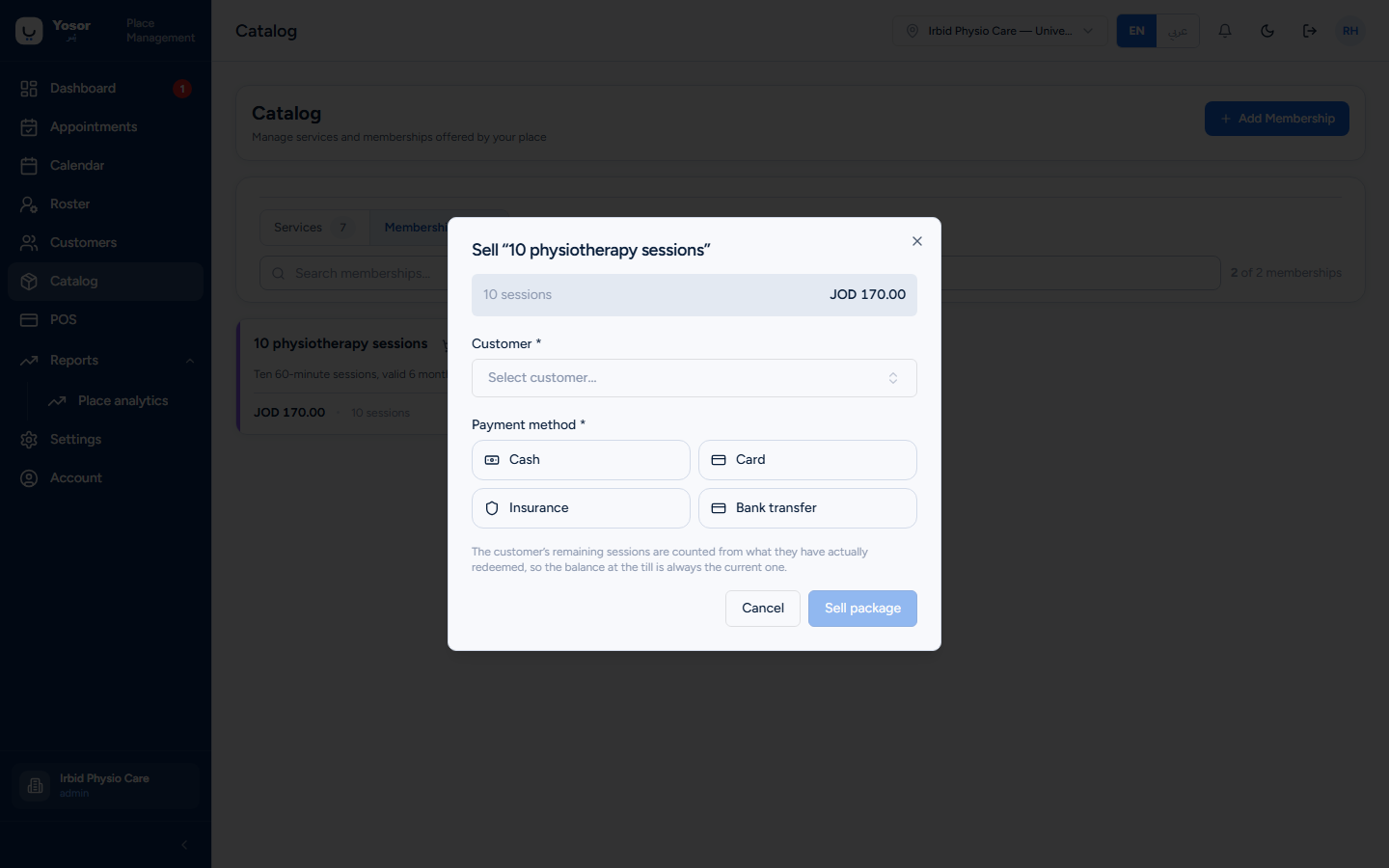
Sell on a pack card (Billing permission) asks for the customer and the payment method (only when the price is above zero). It creates the invoice and the payment and credits the sessions to the customer in one step; the sale appears in the Sales report under Programmes & packs. The customer's balance is then visible on their record's Plan tab and drawn down at checkout.