2. Dashboard
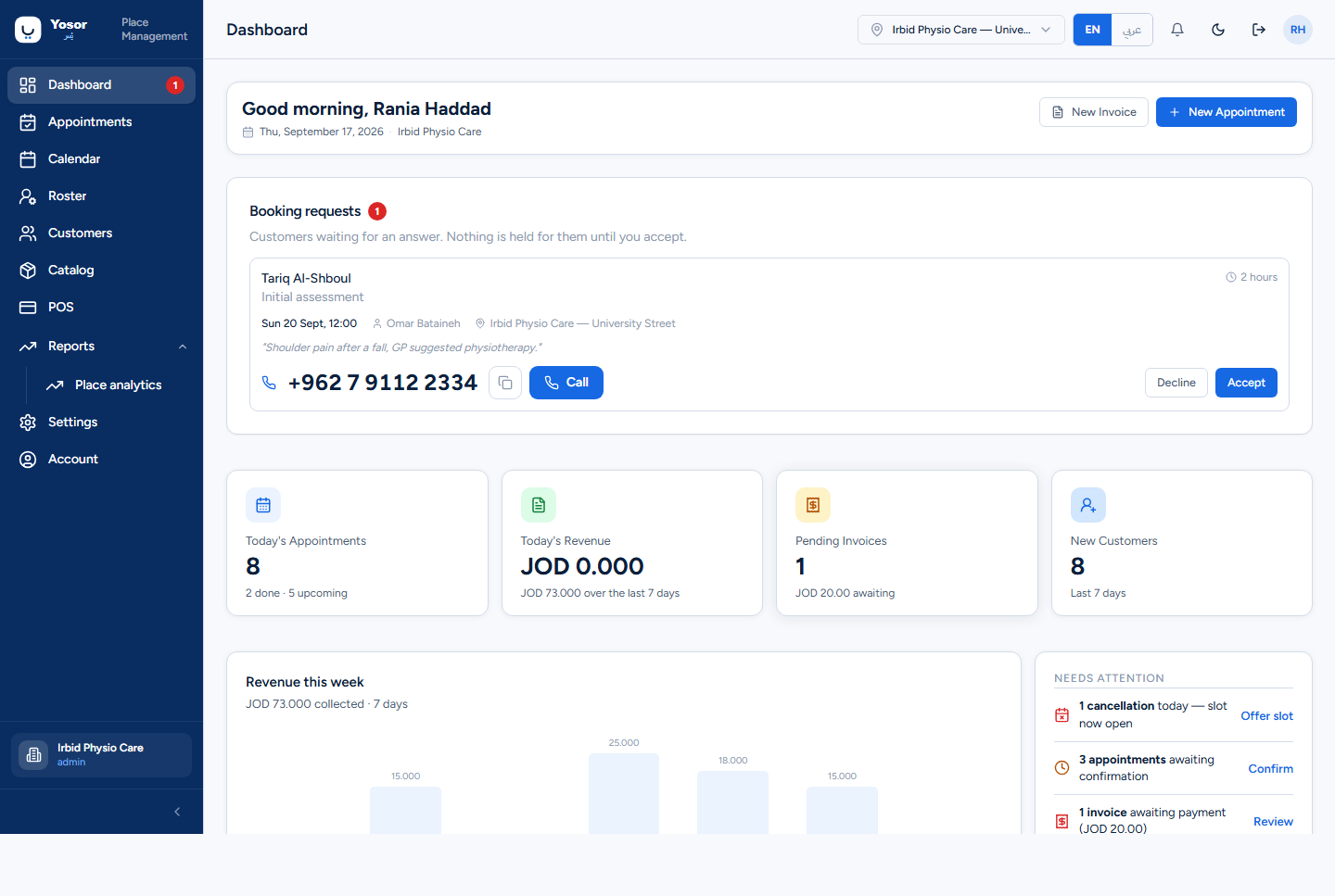
The Dashboard is the first screen after signing in and the one to keep open at reception: it shows what is waiting for an answer, today's numbers and today's schedule.
2.1 Header row
- The greeting uses your name and the date; the clinic name is beside it.
- New Invoice opens the point of sale (POS).
- New Appointment opens the Appointments page, where the booking sheet lives.
2.2 Booking requests (top of the page)
Online bookings from a customer who could not be confirmed instantly, or bookings at a clinic that takes requests rather than instant confirmations, arrive here. The card only appears when something is waiting, and the Dashboard row in the sidebar carries a badge with the count.
Each request shows the customer, the service, how long it has waited (emphasised after four hours), the requested time, the physiotherapist and branch, any note, a same-gender preference if the customer asked for one, and the phone number with Call and Copy.
- Accept books a real appointment at the requested time and tells the customer. Nothing was
held for them while the request waited, so if the slot was taken in the meantime you get a warning with the nearest open times instead, and the request stays pending.
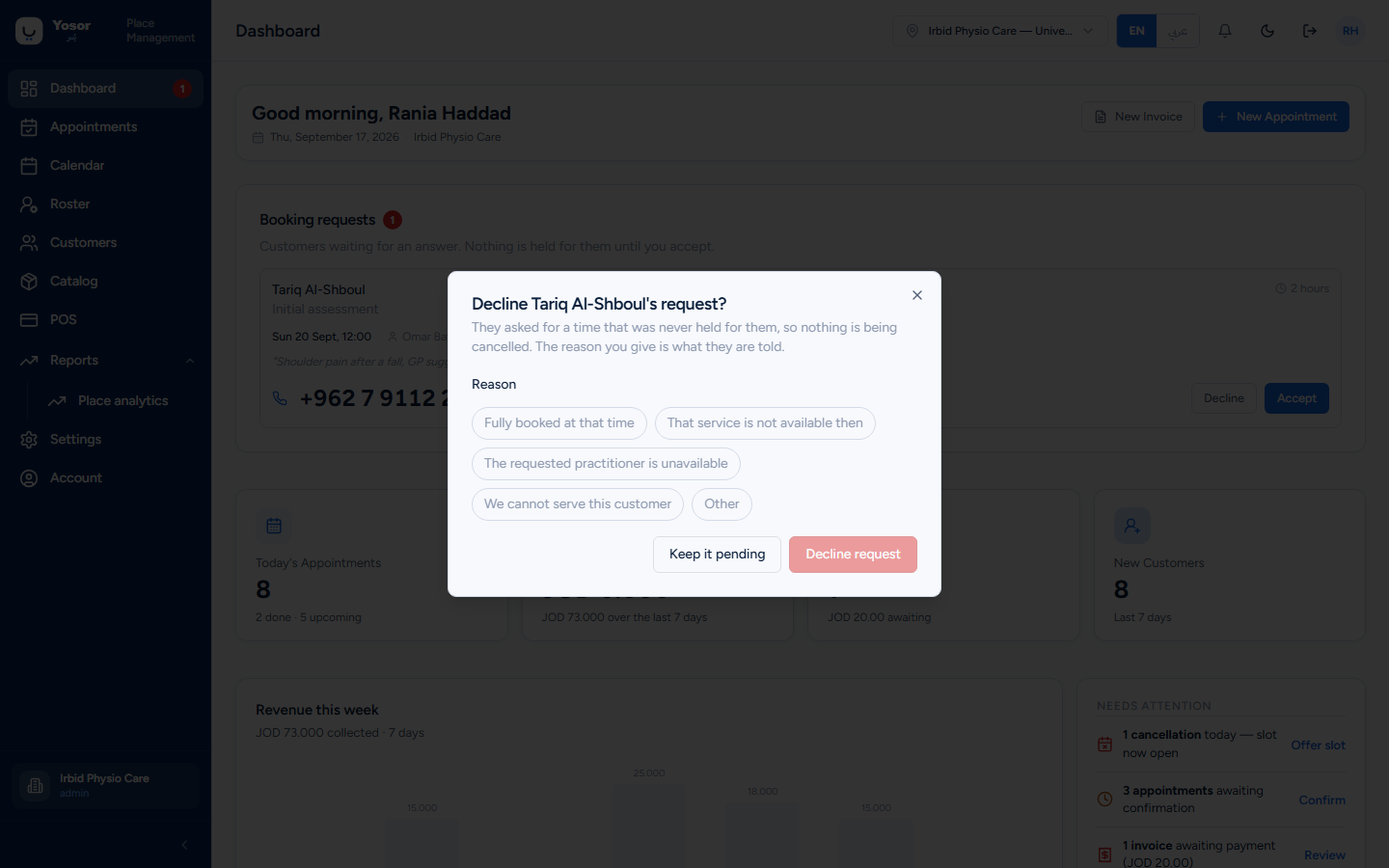
- Decline opens a dialog. Pick a reason (or Other and type one). **The reason you choose is
what the customer is told.**
If the card reads "Booking requests are not enabled on this server yet" or "could not be loaded", that is not a count of zero: requests may be waiting, so try again shortly.
2.3 The four cards
| Card | Meaning |
|---|---|
| Today's Appointments | today's non-cancelled bookings, with how many are done and how many are still to come |
| Today's Revenue | money collected today; below it, the last seven days including today |
| Pending Invoices | invoices that still have an unpaid amount, and the amount awaiting |
| New Customers | customers added in the last seven days |
A — means the figure has not loaded yet. The cards are not links.
2.4 Revenue this week
A bar per day of money collected (payments recorded), for the last seven days including today. "No payments in this period" is shown when nothing was collected.
2.5 Today's schedule
One row per appointment today, in time order, with the status pill. The arrow at the end of a row opens that appointment; View calendar opens the calendar.
2.6 Needs attention
Short prompts with a button each:
- Offer slot — a cancellation freed a slot today; opens the calendar (see the waitlist).
- Confirm — appointments are still Scheduled and could be confirmed with the customer.
- Review — there are unpaid invoices; opens POS.
"All clear" means none of the three applies.
2.7 Today at a glance, staff on duty, quick actions
- The ring shows the share of today's appointments already completed, with Completed / In progress /
Upcoming counts.
- Staff on duty lists up to four team members with their appointment count and an AVAIL pill.
- Quick actions are shortcuts: Add customer, Book slot, New invoice, Check-in.